
Chevrolet Cruze Repair Manual: Air Conditioning Condenser Replacement (1.6L LDE, LXT, LXV, and 1.8L 2H0)
Removal Procedure
- Recover the refrigerant. Refer to Refrigerant Recovery and Recharging.
- Disconnect battery negative cable. Refer to Battery Negative Cable Disconnection and Connection.
- Remove front bumper fascia. Refer to Front Bumper Fascia Replacement.
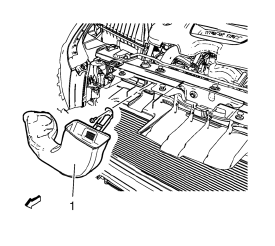
- Remove air intake duct (1).
- Remove radiator support replacement. Refer to Radiator Support Replacement.
- Remove A/C compressor and condenser hose from condenser. Refer to Air Conditioning Compressor and Condenser Hose Replacement.
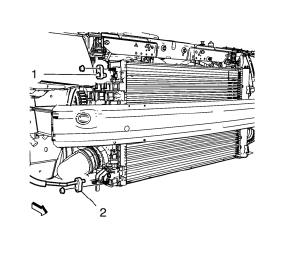
- Remove condenser hose bolt and condenser hose (1, 2).
- Remove A/C refrigerant pressure sensor. Refer to Air Conditioning (A/C) Refrigerant Pressure Sensor Replacement.
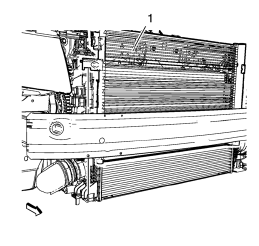
- Remove condenser.
Installation Procedure
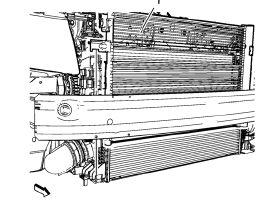
- Install condenser.
- Install A/C refrigerant pressure sensor. Refer to Air Conditioning (A/C) Refrigerant Pressure Sensor Replacement.
Caution: Refer to Fastener Caution in the Preface section.
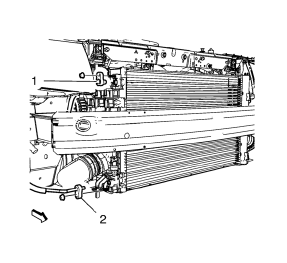
- Install condenser hose (1, 2) and condenser hose bolt and tighten to 19 N·m (15 lb ft).
- Install A/C compressor and condenser hose to condenser. Refer to Air Conditioning Compressor and Condenser Hose Replacement
- Install radiator support. Refer to Radiator Support Replacement.
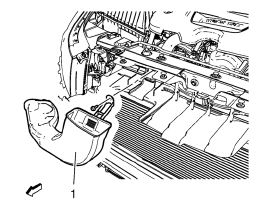
- Install air intake duct (1).
- Install front bumper fascia. Refer to Front Bumper Fascia Replacement.
- Connect battery negative cable. Refer to Battery Negative Cable Disconnection and Connection.
- Evacuate and charge the refrigerant system. Refer to Refrigerant Recovery and Recharging.
 Air Conditioning Evaporator Hose Assembly Replacement
Preliminary Procedures
Recover the refrigerant. Refer to Refrigerant Recovery and Recharging.
Remove the headlamp - right side. Refer to Headlamp Replacement.
Loosen power steering fluid r ...
 Instrument Panel Outer Air Outlet Replacement - Left Side
Preliminary Procedure
Remove instrument panel lower trim pad cover - left side. Refer to
Instrument Panel Lower Trim Pad Cover Replacement.
Remove instrument panel cluster trim plat ...
Other materials:
SIR Service Precautions
SIR Service Precautions
Warning: When performing service on or near the SIR components or
the SIR wiring, the SIR system must be disabled. Failure to observe
the correct procedure could cause deployment of the SIR components. Serious
injury can occur. Failure to observe the correct procedure
...
Removal Procedure
Warning: Refer to Approved Equipment for Collision Repair Warning in the
Preface section.
Warning: Refer to Collision Sectioning Warning in the Preface section.
Warning: Refer to Glass and Sheet Metal Handling Warning in the Preface section.
Disable the SIR System. Refer to SIR
...
Driver Information Center (DIC)
The DIC display is in the center of the instrument cluster. It shows the status
of many vehicle systems. The controls for the DIC are on the turn signal lever.
1. SET/CLR: Press to set, or press and hold to clear, the menu item displayed.
2. /
: Use the thumbwheel to scroll through
the it ...
