
Chevrolet Cruze Repair Manual: Body Waterleak Repair
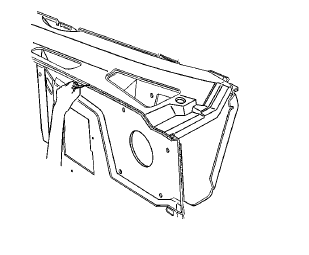
Warning: If the vehicle interior is exposed to moisture and becomes soaked up to the level of the sensing and diagnostic module (SDM), the SDM and SDM harness connector must be replaced. The SDM could be activated when powered, which could cause airbag deployment and result in personal injury.
Depending on the location of the waterleak, you may have to remove certain interior components in order to repair the leak.
- If the floor carpet is wet refer to Floor Carpet Drying.
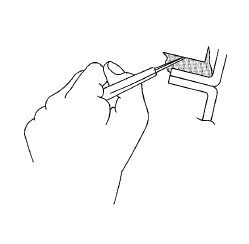
- Cut out a portion of the adhesive caulking in the leak area from inside or outside of the vehicle.
- Clean and remove all loose particles of the adhesive old caulking from the area.
- Apply joint body and seam sealer where the old adhesive caulking was removed.
- Allow the adhesive caulking to dry for several hours.
- Test for leaks.
- Install the trim, if removed.
 Air Hose Test
Caution: The air hose test should only be used on fully cured
urethane adhesive. Otherwise, damage to the urethane adhesive bead
could result in additional leaks.
Using a liquid detergent, ...
 Stationary Window Waterleak Repair
Note: If any water enters the vehicle interior up to the level of
the carpet or higher and soaks the carpet, the sensing and diagnostic
module (SDM) and the SDM harness connector may need to be rep ...
Other materials:
Stabilizer Shaft Link Replacement
Preliminary Procedure
Raise and support the vehicle. Refer to Lifting and Jacking
the Vehicle.
Remove the front tire and wheel assemblies. Refer to Tire and Wheel
Removal and Installation.
Stabilizer Shaft Link Nut (Qty: 2)
Caution: Refer to Fastener Caution in the Pr ...
Headlining Trim Panel Replacement (Without Sunroof)
Warning: Do not attempt to repair or alter the head impact
energy-absorbing material glued to the headliner or to the garnish
trims. If the material is damaged, replace the headliner and/or the garnish
trim. Failure to do so could result in personal injury.
Caution: If a vehicle is equip ...
Deployment Inside Vehicle - Vehicle Scrapping Procedure
Deploy the inflator modules inside of the vehicle when destroying the vehicle
or when salvaging the vehicle for parts. This includes, but is
not limited to, the following situations:
The vehicle has completed all useful life.
Irreparable damage occurred to the vehicle in a non-deployment ty ...
