
Chevrolet Cruze Repair Manual: Front Floor Console Storage Tray Replacement
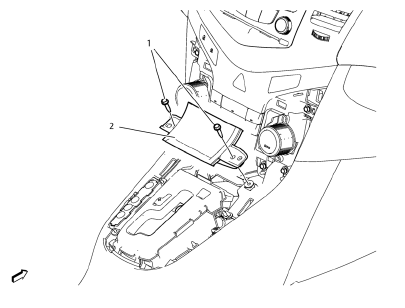
Preliminary Procedure
Remove the automatic or manual transmission control lever trim cover. Refer to Automatic or Manual Transmission Control Lever Trim Cover Replacement
- Front Floor Console Storage Tray Screw (Qty: 2)
Caution: Refer to Fastener Caution in the Preface section.
Tighten 2.5 N·m (23 lb in)
- Front Floor Console Storage Tray Assembly
Automatic or Manual Transmission Control Lever Trim Cover Replacement
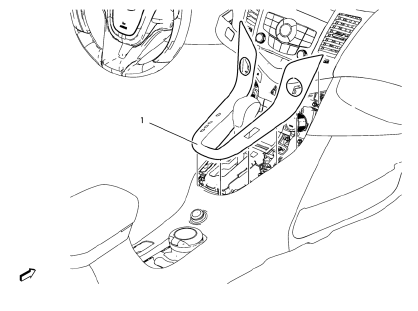
- Transmission Control Lever Trim Cover Assembly
Parking Brake Lever Boot Replacement
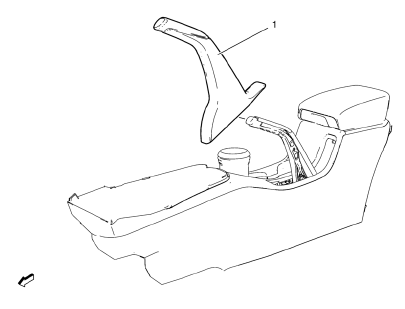
Parking Brake Lever Boot
Procedure
- Pull down boot.
- Apply bead of adhesive to upper surface of parking brake lever (arrow).
- Install parking brake lever boot carefully.
 Instrument Panel Wiring Harness Replacement
Removal Procedure
Remove instrument panel compartment assembly. Refer to Instrument
Panel Compartment Replacement.
Remove instrument panel wiring harness (2) from instrume ...
 Front Floor Console Replacement
Preliminary Procedure
Remove the instrument panel lower trim panel - left side. Refer to
Instrument Panel Lower Trim Panel Replacement - Left
Side
Remove the instrument panel lower trim ...
Other materials:
Rear Side Door Outside Handle Rod Adjustment
Removal Procedure
Remove the rear door water deflector as needed. Refer to Rear Side Door
Water Deflector Replacement.
Use a flat-head tool to open the clip from the threaded rod connecting
the lock to the outside handle.
Adjust the travel of the handle by removing the threaded rod ...
Reporting Safety Defects to the United States Government
If you believe that your vehicle has a defect which could cause a crash or could
cause injury or death, you should immediately inform the National Highway Traffic
Safety Administration (NHTSA) in addition to notifying General Motors.
If NHTSA receives similar complaints, it may open an investig ...
Steering Knuckle Replacement
Preliminary Procedure
Raise and support the vehicle. Refer to Lifting and Jacking the
Vehicle
Remove the wheel bearing and hub assembly. Refer to Front Wheel Bearing
and Hub Replacement.
Separate the outer tie rod end from the knuckle. Refer to Steering
Linkage Outer Tie R ...
