
Chevrolet Cruze Repair Manual: Installation Procedure
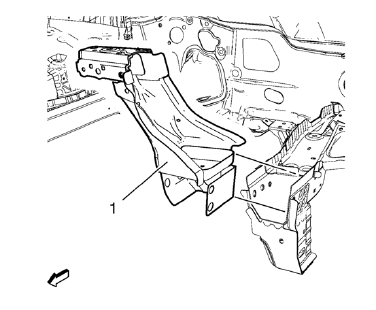
- Position the front end upper tie bar (1) on the vehicle.
- Verify the fit of the front end upper tie bar.
- Clamp the front end upper tie bar into position.
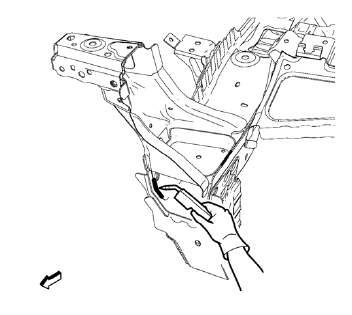
- Braze accordingly.
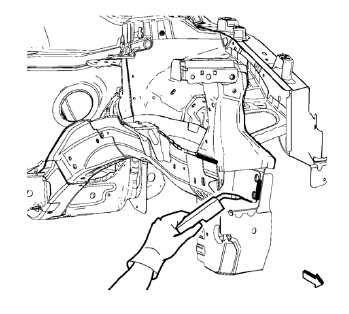
- Braze accordingly.
- Grind down weld seams as needed for related panels and components.
- Clean and prepare the attaching surfaces for welding.
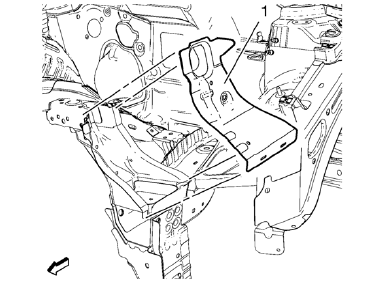
- Position the front end sheet metal cross panel reinforcement (1) on the vehicle.
- Verify the fit of the front end upper tie bar.
- Clamp the front end sheet metal cross panel reinforcement into position.
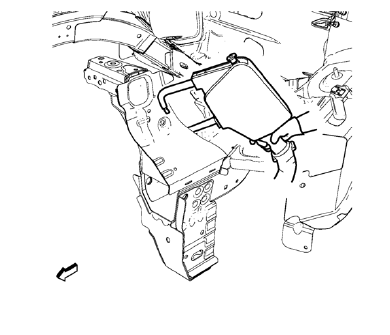
- Spot weld accordingly.
- Use factory slots for slot brazing.
- Install front bumper impact bar before applying the sealers and anti-corrosion materials.
- Apply the sealers and anti-corrosion materials to the repair area, as necessary. Refer to Anti-Corrosion Treatment and Repair
- Paint the repaired area. Refer to Basecoat/Clearcoat Paint Systems
- Install all related panels and components.
- Connect the negative battery cable. Refer to Battery Negative Cable Disconnection and Connection
- Enable the SIR system. Refer to SIR Disabling and Enabling
 Removal Procedure
Warning: Refer to Approved Equipment for Collision Repair Warning in the
Preface section.
Warning: Refer to Glass and Sheet Metal Handling Warning in the Preface section.
Disable the SIR System. ...
 Drivetrain and Front Suspension Frame Front Support Replacement (MAG-Welding)
Note: According to different corrosion warranties, only the
regional mandatory joining methods are allowed. ...
Other materials:
Vehicle Personalization
The audio system controls are used to access the personalization menus for customizing
vehicle features.
CONFIG (Configuration): Press to access the Configuration Settings menu.
MENU/SEL: Press the center of this knob to enter the menus and select
menu items. Turn the knob to scroll through th ...
Power Outlets
The accessory power outlets can be used to plug in electrical equipment, such
as a cell phone or MP3 player.
There is one accessory power outlet located on the center floor console and one
on the rear of the center floor console. These outlets are powered when the key
is in ON/ RUN or ACC/ACC ...
Passenger Sensing System
United States
Canada
The passenger sensing system turns off the front outboard passenger frontal airbag
and knee airbag under certain conditions. No other airbag is affected by the passenger
sensing system.
The passenger airbag status indicator will be visible on the instrument panel
wh ...
