
Chevrolet Cruze Repair Manual: Installation Procedure
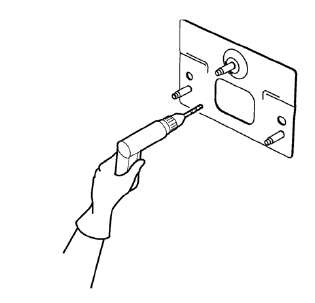
- Drill 8 mm (5/16 in) for plug welding along the edges of the rear bumper impact bar stud plate as noted from the original panel.
Note: If the location of the original plug weld holes can not be determined, space the plug weld holes every 40 mm (1½ in).
- Clean and prepare the attaching surfaces for welding.
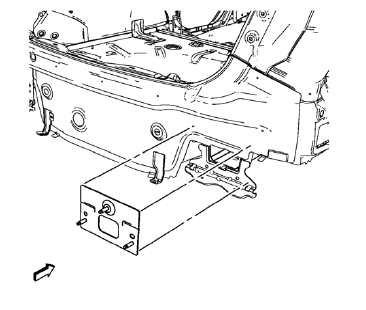
- Position the rear bumper impact bar stud plate on the vehicle.
- Verify the fit of the rear bumper impact bar stud plate.
- Clamp the rear bumper impact bar stud plate into position.
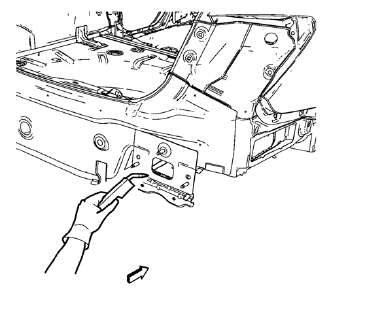
- Plug weld accordingly.
- Apply the sealers and anti-corrosion materials to the repair area, as necessary. Refer to Anti-Corrosion Treatment and Repair.
- Paint the repaired area. Refer to Basecoat/Clearcoat Paint Systems.
- Install all related panels and components.
- Connect the negative battery cable. Refer to Battery Negative Cable Disconnection and Connection.
- Enable the SIR system. Refer to SIR Disabling and Enabling.
 Removal Procedure
Warning: Refer to Approved Equipment for Collision Repair Warning in the
Preface section.
Warning: Refer to Glass and Sheet Metal Handling Warning in the Preface section.
Disable the SIR Syst ...
 Rear Bumper Impact Bar Stud Plate Replacement (MIG-Brazing)
Note: According to different corrosion warranties, only the
regional mandatory joining methods are allowed. ...
Other materials:
CD Player
The CD player can play audio CDs and MP3 CDs.
The CD player will not play 8 cm (3 in) CDs.
Care of CDs
Sound quality can be reduced due to disc quality, recording method, quality of
the music recorded, and how the disc has been handled.
Handle discs carefully and store them in their original c ...
Front Fender Replacement
Preliminary Procedure
Remove the front bumper fascia. Refer to Front Bumper Fascia
Replacement
Remove front bumper fascia guide. Refer to Front Bumper Fascia
Replacement
Remove the wheelhouse liner. Refer to Front Wheelhouse Liner Replacement
Remove the headlamp. Refer to H ...
Installation Procedure
Cut the front compartment front rail in corresponding locations to fit
the remaining original panel. The sectioning joint should be
trimmed to allow a gap of one-and-one-half-times the metal thickness at the
sectioning joint.
Create a 50 mm (2 in) backing plate from the unused porti ...
