
Chevrolet Cruze Owners Manual: Power Door Locks
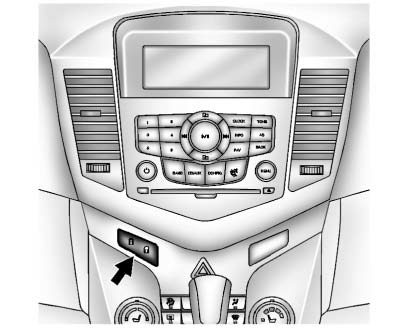
 (Lock)
: Press to lock the doors.
 (Unlock):
Press to unlock the doors.
 Door Locks
WARNING
Unlocked doors can be dangerous.
• Passengers, especially children, can easily open the doors and fall out of
a moving vehicle. The chance of being thrown out of the vehicle in a crash is ...
 Automatic Door Locks
Automatic Door Lock
The doors are programmed to automatically lock when the shift lever is moved
out of P (Park).
The automatic door lock feature cannot be disabled.
Automatic Door Unlock
The do ...
Other materials:
Engine Oil Messages
CHANGE ENGINE OIL SOON
This message displays when the engine oil needs to be changed.
When you change the engine oil, be sure to reset the Oil Life System.
OIL PRESSURE LOW — STOP ENGINE
This message displays if low oil pressure levels occur. Stop the vehicle as soon
as safely possible and do ...
Center Pillar Upper Garnish Molding Replacement
Preliminary Procedure
Remove the center pillar lower garnish molding. Refer to Center Pillar
Lower Ga rnish Molding Replacement
Remove the seat belt from the front seat. Refer to Driver or Passenger
Seat Retractor Side Belt Replacement
Center Pillar Upper Garnish Mo ...
Danger, Warnings, and Cautions
Warning messages found on vehicle labels and in this manual describe hazards
and what to do to avoid or reduce them.
Danger indicates a hazard with a high level of risk which will result in serious
injury or death.
Warning or Caution indicates a hazard that could result in injury or death.
WA ...
