
Chevrolet Cruze Owners Manual: Keys
WARNING
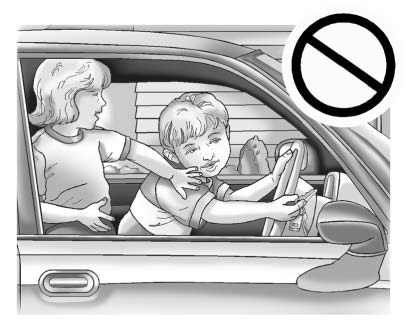
Leaving children in a vehicle with the ignition key is dangerous and children or others could be seriously injured or killed. They could operate the power windows or other controls or make the vehicle move. The windows will function with the keys in the ignition, and children or others could be caught in the path of a closing window. Do not leave children in a vehicle with the ignition key.
WARNING
Leaving children in a vehicle with a Remote Keyless Entry (RKE) transmitter is dangerous and children or others could be seriously injured or killed. They could operate the power windows or other controls or make the vehicle move. The windows will function with the RKE transmitter in the vehicle, and children or others could be caught in the path of a closing window. Do not leave children in a vehicle with an RKE transmitter.
The key that is part of the Remote Keyless Entry (RKE) transmitter can be used for the ignition and all locks if the vehicle is a key access vehicle. If the vehicle has the keyless ignition, the key can be used for the locks.
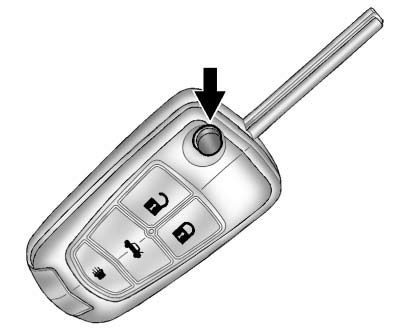
Press the button on the RKE transmitter to extend the key. Press the button and the key blade to retract the key.
If it becomes difficult to turn the key, inspect the key blade for debris.
Periodically clean with a brush or pick.
See your dealer if a new key is needed.
With an active OnStar subscription, an OnStar Advisor may remotely unlock the vehicle.
 Keys and Locks
...
 Remote Keyless Entry (RKE) System
If there is a decrease in the RKE operating range:
• Check the distance. The transmitter may be too far from the vehicle.
• Check the location. Other vehicles or objects may be blocking the signal.
...
Other materials:
Rear Compartment Lid Emblem/Nameplate Replacement (LT or LTZ)
Rear Compartment Lid Emblem Assembly
Caution: Refer to Exterior Trim Emblem Removal Caution in the
Preface section.
Procedure
The part and surface should be 21°C (70°F) prior to installation. The
vehicle should remain 21°C (70°F) for
one hour after assembly to allow adhesive to deve ...
Winter Tires
This vehicle was not, originally, equipped with winter tires. Winter tires are
designed for increased traction on snow and ice-covered roads. Consider installing
winter tires on the vehicle if frequent driving on snow or ice-covered roads is
expected. See your dealer for details regarding wint ...
Removal Procedure
Warning: Refer to Approved Equipment for Collision Repair Warning in the
Preface section.
Warning: Refer to Glass and Sheet Metal Handling Warning in the Preface section.
Disable the SIR System. Refer to SIR Disabling
and Enabling.
Disconnect the negative battery cable. Refer to ...
