
Chevrolet Cruze Repair Manual: Removal Procedure
Warning: Refer to Approved Equipment for Collision Repair Warning in the Preface section.
Warning: Refer to Glass and Sheet Metal Handling Warning in the Preface section.
Disable the SIR System. Refer to SIR Disabling and Enabling
- Disconnect the negative battery cable. Refer to Battery Negative Cable Disconnection and Connection
- Remove all related panels and components.
- Visually inspect the damage. Repair as much of the damage as possible.
- Remove the sealers and anti-corrosion materials from the repair area, as necessary. Refer to Anti-Corrosion Treatment and Repair
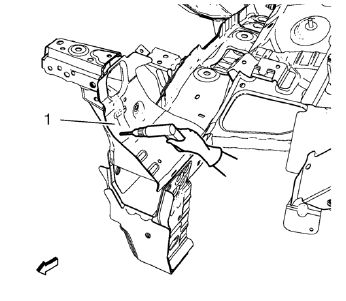
- Locate and mark all the necessary factory welds of the front end sheet metal cross panel reinforcement (1).
- Drill all factory welds. Note the number and location of welds for installation of the service assembly.
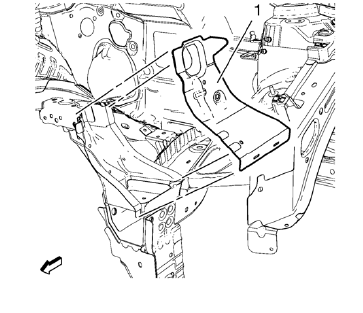
- Remove the front end sheet metal cross panel reinforcement (1).
- Drill all factory welds.
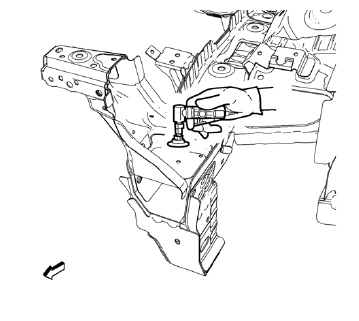
- Grind factory welds of the front end upper tie bar.
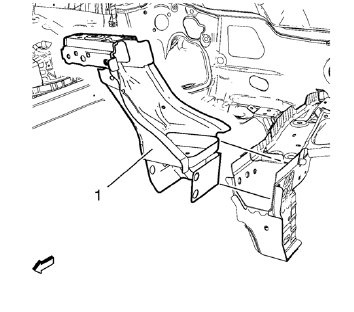
- Remove the front end upper tie bar (1).
 Front End Upper Tie Bar Replacement (MIG-Brazing)
Note: According to different corrosion warranties, only the
regional mandatory joining methods are allowed. ...
 Installation Procedure
Position the front end upper tie bar (1) on the vehicle.
Verify the fit of the front end upper tie bar.
Clamp the front end upper tie bar into position.
Braze accordingly.
...
Other materials:
Seat Adjustment
WARNING
You can lose control of the vehicle if you try to adjust a driver seat while
the vehicle is moving.
Adjust the driver seat only when the vehicle is not moving.
To adjust a manual seat:
1. Pull the handle at the front of the seat.
2. Slide the seat to the desired position and release ...
Removal Procedure
Warning: Refer to Approved Equipment for Collision Repair Warning in the
Preface section.
Warning: Refer to Collision Sectioning Warning in the Preface section.
Warning: Refer to Glass and Sheet Metal Handling Warning in the Preface section.
Disable the SIR System. Refer to SIR Dis ...
Steering
Electric Power Steering
The vehicle has electric power steering. It does not have power steering fluid.
Regular maintenance is not required.
If power steering assist is lost due to a system malfunction, the vehicle can
be steered, but may require increased effort. See your dealer if there is a ...
