
Chevrolet Cruze Repair Manual: Removal Procedure
Warning: Refer to Approved Equipment for Collision Repair Warning in the Preface section.
Warning: Refer to Collision Sectioning Warning in the Preface section.
Warning: Refer to Glass and Sheet Metal Handling Warning in the Preface section.
- Disable the SIR System. Refer to SIR Disabling and Enabling.
- Disconnect the negative battery cable. Refer to Battery Negative Cable Disconnection and Connection.
- Remove all related panels and components.
- Visually inspect the damage. Repair as much of the damage as possible.
- Remove the sealers and anti-corrosion materials from the repair area, as necessary. Refer to Anti-Corrosion Treatment and Repair.
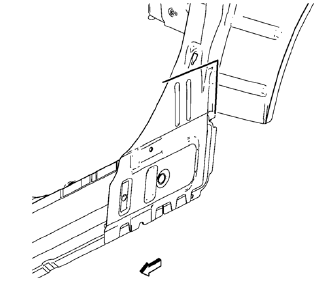
- Create cut lines on the body side inner panel.
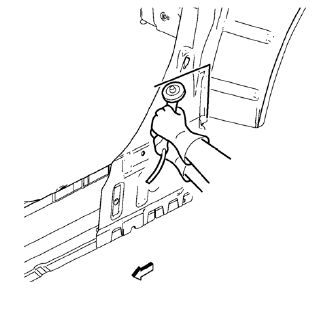
Note: Do not damage any inner panels or reinforcements.
- Cut the panel where sectioning is to be performed.
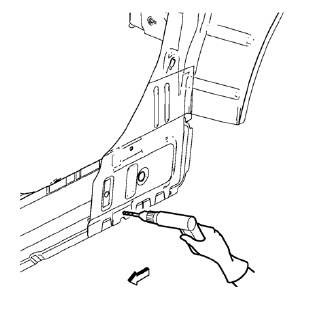
- Locate and mark all the necessary factory welds of the body side inner panel.
- Drill all factory welds.
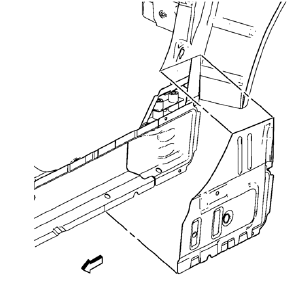
- Remove the body side inner panel.
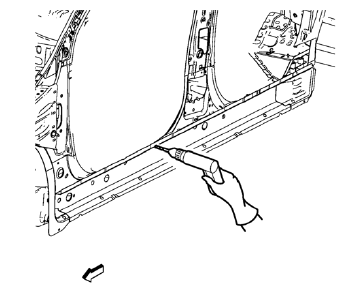
- Locate and mark all the necessary factory welds of the rocker inner panel.
- Drill all factory welds.
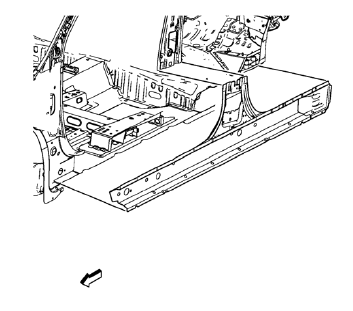
- Remove the damaged rocker inner panel.
 Rocker Inner Panel Replacement (MIG-Brazing)
Note: According to different corrosion warranties, only the
regional mandatory joining methods are allowed. ...
 Installation Procedure
Align the rocker inner panel.
Clean and prepare the attaching surfaces for spot welding.
Apply structural adhesive to all attaching surfaces.
Position the rocker inner panel on ...
Other materials:
Pandora Internet Radio
Pandora® (if equipped) is a free Internet radio service that streams personalized
radio stations based on artists, songs, genres, and comedians. Create stations using
the Pandora website or smartphone application, then use
(thumbs up) or
(thumbs down) to personalize stations.
To set up an ...
Tire Inspection
We recommend that the tires, including the spare tire, if the vehicle has one,
be inspected for signs of wear or damage at least once a month.
Replace the tire if:
• The indicators at three or more places around the tire can be seen.
• There is cord or fabric showing through the tire's rubb ...
Steering Wheel Inflatable Restraint Module Coil Replacement
Preliminary Procedure
Remove the steering column upper trim cover. Refer to Steering Column
Upper Trim Cover Replacement.
Remove the steering column lower trim cover. Refer to Steering Column
Lower Trim Cover Replacement.
Remove the steering wheel. Refer to Steering Wheel Rep ...
