
Chevrolet Cruze Repair Manual: Removal Procedure
Warning: Refer to Approved Equipment for Collision Repair Warning in the Preface section.
Warning: Refer to Collision Sectioning Warning in the Preface section.
Warning: Refer to Glass and Sheet Metal Handling Warning in the Preface section.
- Disable the SIR System. Refer to SIR Disabling and Enabling.
- Disconnect the negative battery cable. Refer to Battery Negative Cable Disconnection and Connection.
- Remove all related panels and components.
- Visually inspect the damage. Repair as much of the damage as possible.
- Remove the sealers and anti-corrosion materials from the repair area, as necessary. Refer to Anti-Corrosion Treatment and Repair.
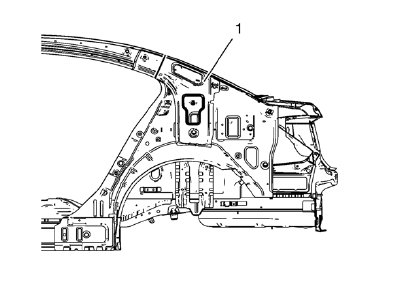
- Create cut lines on the body lock pillar upper reinforcement (1).
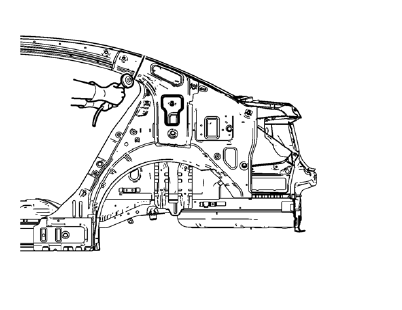
Note: Do not damage any other panels or reinforcements.
- Cut the panel where sectioning is to be performed.
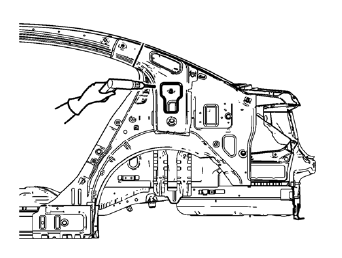
- Locate and mark all the necessary factory welds of the body lock pillar upper reinforcement.
- Drill all factory welds. Note the number and location of welds for installation of the service assembly.
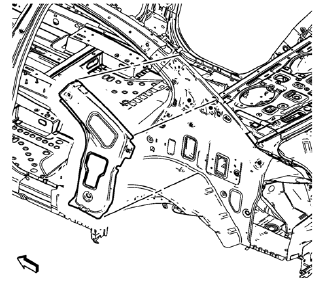
- Remove the damaged body lock pillar upper reinforcement.
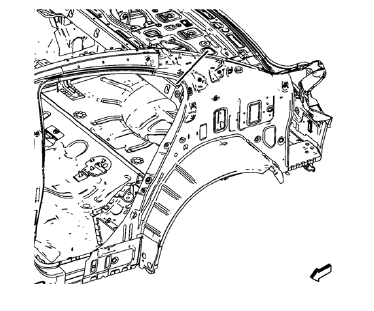
- Create cut lines on the body side inner panel.
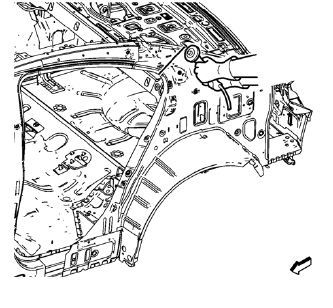
Note: Do not damage any other panels or reinforcements.
- Cut the panel where sectioning is to be performed.
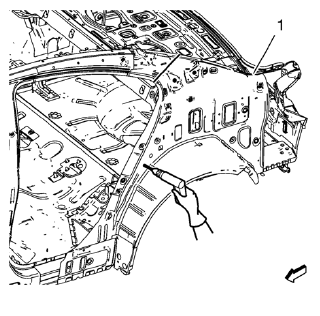
Note: Drill hidden factory welds where body side outer rear panel drain gutter (1) and body side inner panel overlap.
- Locate and mark all the necessary factory welds of the body side inner panel.
- Drill all factory welds. Note the number and location of welds for installation of the service assembly.
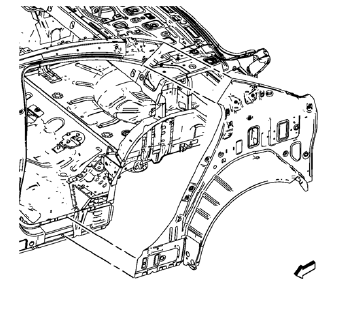
- Remove the damaged body side inner panel.
 Body Side Inner Panel Sectioning (MAG-Welding)
Note: According to different corrosion warranties, only the
regional mandatory joining methods are allowed. ...
 Installation Procedure
Remove rear end upper panel extension (1) from service part.
Cut
Cut the body side inner panel in corresponding locations to fit the
remaining original panel. The sectioning jo ...
Other materials:
Safety Locks
The rear door safety locks prevent passengers from opening the rear doors from
inside the vehicle.
Press to activate the safety locks.
The indicator light comes on when activated.
The rear door power windows are also disabled.
Press again to deactivate the safety
locks and power windows ...
Removal Procedure
Raise and support the vehicle. Refer to Lifting and Jacking the Vehicle.
Remove the brake rotor. Refer to Front Brake Rotor Replacement.
Remove the wheel speed sensor screw (2).
Remove the wheel speed sensor (1) from the steering knuckle.
Remove the wheel drive shaft from the fron ...
SIR Inflator Module Handling and Storage Warning
Warning: When carrying an undeployed inflator module:
Do not carry the inflator module by the wires or connector.
Make sure the air bag opening points away from you.
When storing an undeployed inflator module:
Make sure the air bag opening points away from the surface on which
the in ...
