
Chevrolet Cruze Repair Manual: Body Waterleak Repair
Warning: If the vehicle interior is exposed to moisture and becomes soaked up to the level of the sensing and diagnostic module (SDM), the SDM and SDM harness connector must be replaced. The SDM could be activated when powered, which could cause airbag deployment and result in personal injury.
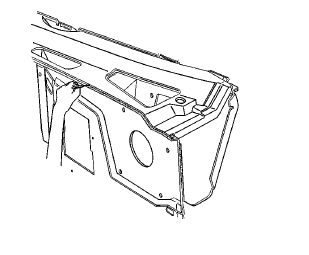
Depending on the location of the waterleak, you may have to remove certain interior components in order to repair the leak.
- If the floor carpet is wet refer to Floor Carpet Drying.
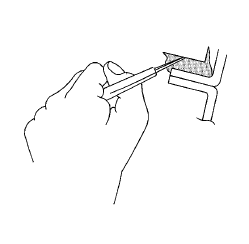
- Cut out a portion of the adhesive caulking in the leak area from inside or outside of the vehicle.
- Clean and remove all loose particles of the adhesive old caulking from the area.
- Apply joint body and seam sealer where the old adhesive caulking was removed.
- Allow the adhesive caulking to dry for several hours.
- Test for leaks.
- Install the trim, if removed.
 Air Hose Test
Caution: The air hose test should only be used on fully cured
urethane adhesive. Otherwise, damage to the urethane adhesive bead
could result in additional leaks.
Using a liquid detergent, ...
 Stationary Window Waterleak Repair
Note: If any water enters the vehicle interior up to the level of
the carpet or higher and soaks the carpet, the sensing and diagnostic
module (SDM) and the SDM harness connector may need to be rep ...
Other materials:
Removal Procedure
Raise and support the vehicle. Refer to Lifting and Jacking the Vehicle.
Remove the brake rotor. Refer to Front Brake Rotor Replacement.
Remove the wheel speed sensor screw (2).
Remove the wheel speed sensor (1) from the steering knuckle.
Remove the wheel drive shaft from the fron ...
Charging System Light
The charging system light comes on briefly when the ignition is turned on, but
the engine is not running, as a check to show the light is working.
The light turns off when the engine is started. If it does not, have the vehicle
serviced by your dealer.
If the light stays on, or comes on whil ...
Winter Driving
Driving on Snow or Ice
Drive carefully when there is snow or ice between the tires and the road, creating
less traction or grip.
Wet ice can occur at about 0°C (32°F) when freezing rain begins to fall, resulting
in even less traction.
Avoid driving on wet ice or in freezing rain until roads c ...
