
Chevrolet Cruze Repair Manual: Removal Procedure
Warning: Refer to Approved Equipment for Collision Repair Warning in the Preface section.
Warning: Refer to Collision Sectioning Warning in the Preface section.
Warning: Refer to Glass and Sheet Metal Handling Warning in the Preface section.
- Disable the SIR System. Refer to SIR Disabling and Enabling.
- Disconnect the negative battery cable. Refer to Battery Negative Cable Disconnection and Connection.
- Remove all related panels and components.
- Visually inspect the damage. Repair as much of the damage as possible.
- Remove the sealers and anti-corrosion materials from the repair area, as necessary. Refer to Anti-Corrosion Treatment and Repair.
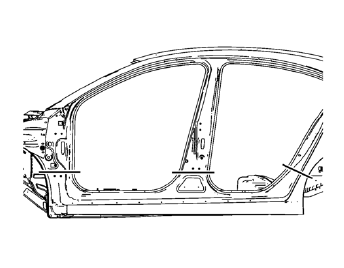
- Create cut lines on the rocker outer panel.
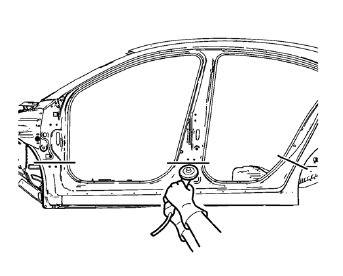
Note: Do not damage any inner panels or reinforcements.
- Cut the panel where sectioning is to be performed.
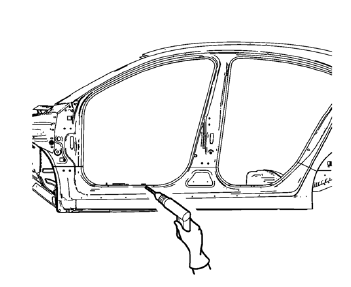
- Locate and mark all the necessary factory welds of the rocker outer panel.
- Drill all factory welds.
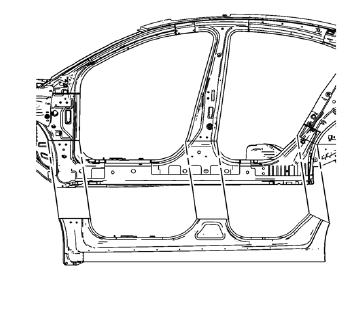
- Remove the damaged rocker outer panel.
 Rocker Outer Panel Sectioning (MIG-Brazing)
Note: According to different corrosion warranties, only the
regional mandatory joining methods are allowed. ...
 Installation Procedure
Cut the rocker outer panel in corresponding locations to fit the
remaining original panel. The sectioning joint should be trimmed to
allow a gap of one-and-one-half-times the metal thickne ...
Other materials:
Removal Procedure
Raise and support the vehicle. Refer to Lifting and Jacking the
Vehicle.
Remove the tire and wheel. Refer to Tire and Wheel Removal and
Installation.
Note: DO NOT re-use the lower control arm bolts and nuts. Discard
and use NEW only.
Remove wheel speed sensor wiring harness ...
Passenger Sensing System
The vehicle has a passenger sensing system for the front outboard passenger position.
The passenger airbag status indicator will light on the instrument panel when the
vehicle is started.
United States
Canada
The words ON and OFF, or the symbol for on and off, will be visible during the
...
Rear Side Door Adjustment
Rear Side Door
Caution: Refer to Fastener Caution in the Preface section.
Procedure
Loosen the rear door hinge bolt (Qty: 4) to adjust the rear door.
Adjust the rear door in order to obtain an even gap between the rear
door and the roof, the quarter outer panel, the
rocker pan ...
