
Chevrolet Cruze Owners Manual: StabiliTrak® System
The vehicle has a vehicle stability enhancement system called StabiliTrak. It is an advanced computer controlled system that assists with directional control of the vehicle in difficult driving conditions.
StabiliTrak activates when the computer senses a difference between the intended path, and the direction the vehicle is actually traveling. StabiliTrak selectively applies braking pressure at any one of the vehicle's brakes to help steer the vehicle in the intended direction.
StabiliTrak is on automatically whenever the vehicle is started. To assist with directional control of the vehicle, the system should always be left on.

TCS/StabiliTrak Light
When the stability control system activates,
 flashes on in the instrument cluster.
This also occurs when traction control is activated.
flashes on in the instrument cluster.
This also occurs when traction control is activated.
A noise may be heard or vibration may be felt in the brake pedal. This is normal. Continue to steer the vehicle in the intended direction.
If there is a problem detected with StabiliTrak, SERVICE STABILITRAK is displayed
on the Driver Information Center (DIC). When this message is displayed and/or
 comes on and stays on, the vehicle
is safe to drive but the system is not operational.
comes on and stays on, the vehicle
is safe to drive but the system is not operational.
Driving should be adjusted accordingly.
If  comes on and stays on, reset
the system:
comes on and stays on, reset
the system:
1. Stop the vehicle.
2. Turn the engine off and wait 15 seconds.
3. Start the engine.
If  still comes on and stays on at
a speed above 20 km/h (13 mph), see your dealer for service.
still comes on and stays on at
a speed above 20 km/h (13 mph), see your dealer for service.
TCS/StabiliTrak Button
 is on the console.

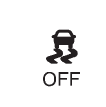
StabiliTrak Off Light

TCS Off Light
StabiliTrak can be turned off if needed by pressing and holding
until
and
 come on in the instrument cluster.
When StabiliTrak is turned off, the system will not assist with directional control
of the vehicle or limit wheel spin. Driving should be adjusted accordingly.
come on in the instrument cluster.
When StabiliTrak is turned off, the system will not assist with directional control
of the vehicle or limit wheel spin. Driving should be adjusted accordingly.
Press and release again to turn
the system back on.
If cruise control is being used when StabiliTrak activates, cruise control will automatically disengage. Press the cruise control button to reengage when road conditions allow.
 Traction Control System (TCS)
The vehicle has a Traction Control System (TCS) that limits wheel spin.
On a front-wheel-drive vehicle, the system operates if it senses that one or
both of the front wheels are spinning or beginni ...
 Cruise Control
For vehicles with cruise control, the vehicle can maintain a speed of about 40
km/h (25 mph) or more without keeping your foot on the accelerator. Cruise control
does not work at speeds below 40 k ...
Other materials:
Steering Column Replacement (Right Hand Drive)
Caution: With wheels of the vehicle facing straight ahead, secure
the steering wheel utilizing steering column anti-rotation pin, steering
column lock, or a strap to prevent rotation. Locking of the steering column will
prevent damage and a possible malfunction of the SIR
system. The steering ...
Driver Seat Frame Replacement
Removal Procedure
Remove front seat cushion cover (1) and pad (2) from frame (3). Refer to
Front Seat Cushion Cover and Pad Replacement
Remove the wire harness (1), if equipped.
Remove front seat back cushion cover (1) and pad (2) from frame (3).
Refer to Driver or ...
Traction Off Light
This light comes on briefly while starting the engine. If it does not, have the
vehicle serviced by your dealer. If the system is working normally, the indicator
light then turns off.
The traction off light comes on when the Traction Control System (TCS) has been
turned off by pressing and ...
