
Chevrolet Cruze Owners Manual: Additional Storage Features
Cargo Tie-Downs
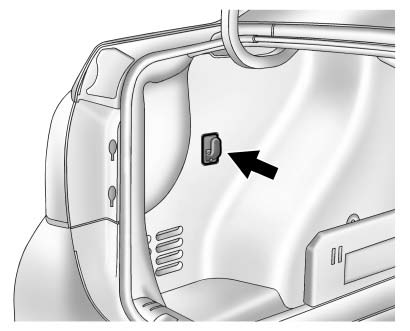
On the driver side in the rear compartment is a retainer to hang light items on.
 Center Console Storage
The center console storage has a storage area under the armrest. Pull up on the
latch on the front of the armrest to access.
Pull up on the latch and slide the center console armrest to adjust th ...

Other materials:
Collision Damage Repair
If the vehicle is involved in a collision and it is damaged, have the damage
repaired by a qualified technician using the proper equipment and quality replacement
parts. Poorly performed collision repairs diminish the vehicle resale value, and
safety performance can be compromised in subsequen ...
Battery Negative Cable Disconnection and Reconnection
Removal Procedure
Turn on the radio and record all of the customer radio station presets.
Ensure that all lamps and accessories are turned off.
Turn the ignition OFF and remove the ignition key.
Warning: Refer to Battery Disconnect Warning in the Preface section.
Loosen the negati ...
Restraints
Specifications
Module Power, Ground, and MIL
Front Impact Sensor, Retractors, and Driver/Passenger Air
Bags
Side Impact Sensors and Side/Roof Air Bags
Air Bag Indicator and Disable Switch (C99)
...
