
Chevrolet Cruze Owners Manual: Door Locks
To lock or unlock the vehicle from outside, use the Remote Keyless Entry (RKE) transmitter or the key.
From inside the vehicle, use the power door lock switch.
Power Door Locks
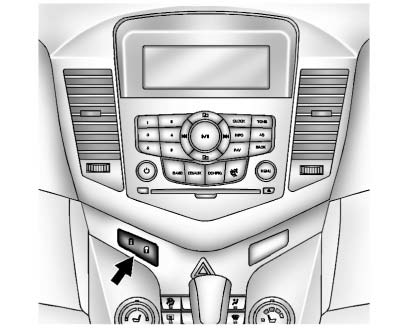
 : Press to unlock the doors.
 : Press to lock the doors.
Safety Locks
The rear door safety locks prevent passengers from opening the rear doors from inside the vehicle.
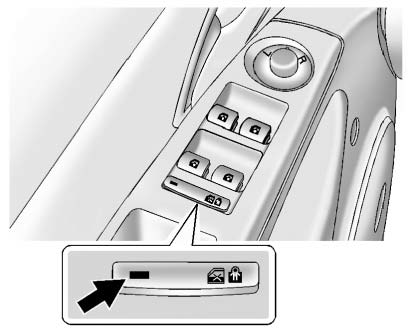
Press  to activate the safety locks.
The indicator light comes on when activated.
to activate the safety locks.
The indicator light comes on when activated.
The rear door power windows are also disabled.
Press  again to deactivate the safety
locks and power windows.
again to deactivate the safety
locks and power windows.
If the indicator light flashes, the feature may not be working properly.
 Remote Vehicle Start
For vehicles with this feature, the engine can be started from outside the vehicle.
Starting the Vehicle
1. Aim the RKE transmitter at the vehicle.
2. Press and release .
3. Immediately after comp ...
 Seat Adjustment
Manual Front Seats
To adjust a manual seat:
1. Pull the handle at the front of the seat.
2. Slide the seat to the desired position and release the handle.
3. Try to move the seat back and forth ...
Other materials:
Manual Transmission
Shift Pattern
All Models Except Fuel Economy Model
Fuel Economy Model
These are the shift patterns for the six-speed manual transmissions.
To operate the transmissions:
Notice: Do not rest your hand on the shift lever while driving. The
pressure could cause premature wear in the transmiss ...
Installation Procedure
Cut the front compartment front rail in corresponding locations to fit
the remaining original panel. The sectioning joint should be
trimmed to allow a gap of one-and-one-half-times the metal thickness at the
sectioning joint.
Create a 50 mm (2 in) backing plate from the unused porti ...
Different Size Tires and Wheels
If wheels or tires are installed that are a different size than the original
equipment wheels and tires, vehicle performance, including its braking, ride and
handling characteristics, stability, and resistance to rollover may be affected.
If the vehicle has electronic systems such as antilock ...
