
Chevrolet Cruze Repair Manual: Front Fender Emblem/Nameplate Replacement (1.8L 2H0 or 2.0L Diesel)
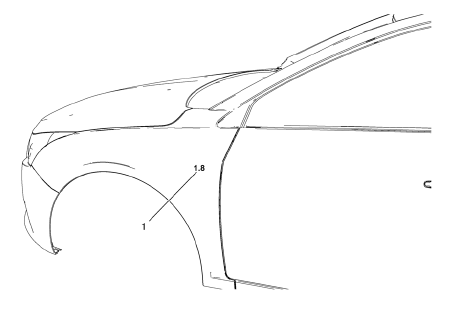
Front Fender Emblem Assembly
Caution: Refer to Exterior Trim Emblem Removal Caution in the Preface section.
Procedure
- The part and surface should be 21°C (70°F) prior to installation. The vehicle should remain 21°C (70°F) for one hour after assembly to allow adhesive to develop sufficient bond strength.
- Use a Heat Gun or equivalent to remove the old emblem. Clean all adhesive from the front fender and wipe the surface dry with a clean lint-free towel prior to installing the new emblem.
- When removing protective liners from the adhesive tape, be careful not to touch tape with hands and do not allow tape to come in contact with dirt or any foreign matter prior to adhesion.
- Using the palm of the hand, wet out the emblem to the front fender to ensure full adhesion of the emblem is made.
 Specifications
Front Door (Diesel)
65 mm
83 mm
Front Door (Diesel)
60 mm
87 mm
Rear Compartment Lid (Diesel)
122 mm
32 mm
Rear Compartment Lid (Ecoline)
162 mm
32 ...
 Front Fog Lamp Bezel Replacement
Preliminary Procedure
Remove front bumper fascia. Refer to Front B 1. umper Fascia
Replacement.
Remove front fog lamp. Refer to Front Fog Lamp Replacement.
Front Fog Lamp Bezel Scre ...
Other materials:
Ultra High Strength Dual Phase Steel
This information provides repair recommendations and general guidelines for
steel classified as Ultra High Strength Dual Phase Steel (Dual
Phase Steel with a tensile strength greater than 800 MPa), also known as DPX.
General Motors recommends the following when repairing or replacing this type ...
Power Steering
Specifications
Power Steering System Bleeding
Note:
Use clean, new power steering fluid type only. See the Maintenance
and Lubrication subsection for fluid specifications.
Hoses touching the frame, body or engine may cause system noise.
Verify that the hoses do not touch any ot ...
Installation Procedure
Cut the front compartment upper side rail in corresponding locations to
fit the remaining original panel. The sectioning joint should
be trimmed to allow a gap of one-and-one-half-times the metal thickness at
the sectioning joint.
Create a 50 mm (2 in) backing plate from the unused ...
