
Chevrolet Cruze Repair Manual: Installation Procedure
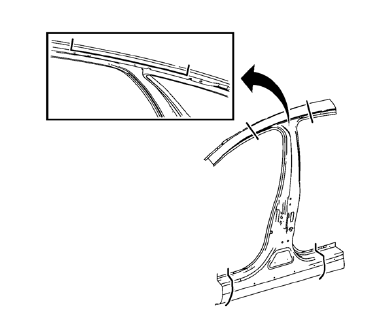
- Cut the body lock pillar outer panel in corresponding locations to fit the remaining original panel. The sectioning joint should be trimmed to allow a gap of one-and-one-half-times the metal thickness at the sectioning joint.
- Create a 50 mm (2 in) backing plate from the unused portion of the service part.
- Create 5 x 18 mm (4/16 x 11/16 in) slots for MIG-brazing along the sectioning cut on the remaining original part. Locate these holes 13 mm (1/2 in) from the edge of part and spaced 40 mm (1 1/2 in) apart.
- Prepare all mating surfaces as necessary
- Fit the backing plates halfway into the sectioning joints, clamp in place and braze to the vehicle.
- Align the body lock pillar outer panel.
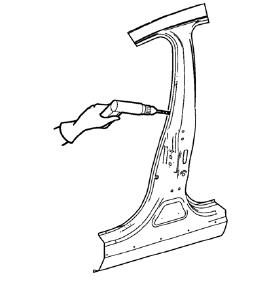
- Create 6 x 20 mm (4/16 x 12/16 in) slots for MIG-brazing in locations where you can not apply a resistance spot welder.
- Clean and prepare the attaching surfaces for spot welding and brazing.
Note: In MIG-brazing areas 50 mm (2 in) must be kept clear of structural adhesive.
- Apply structural adhesive to all attaching surfaces.
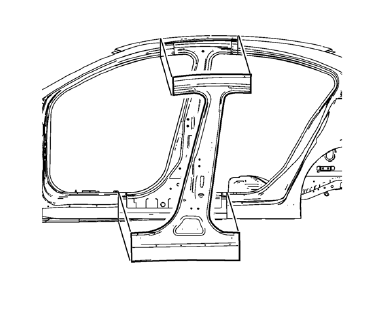
- Position the body lock pillar outer panel on the vehicle.
- Verify the fit of the body lock pillar outer panel.
- Clamp the body lock pillar outer panel into position.
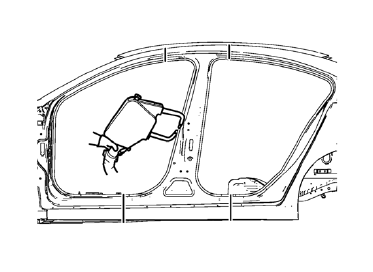
- Spot weld accordingly.
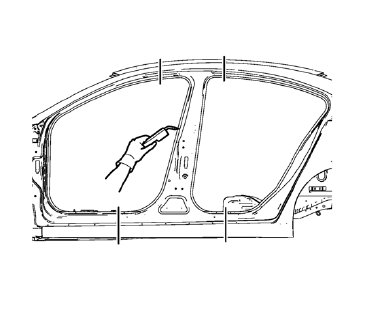
- Braze accordingly.
- To create a solid braze with minimum heat distortion, make 25 mm (1 in) stitch brazes along the seam with 25 mm (1 in) gaps between them. Then go back and complete the stitch braze.
- Apply the sealers and anti-corrosion materials to the repair area, as necessary. Refer to Anti-Corrosion Treatment and Repair.
- Paint the repaired area. Refer to Basecoat/Clearcoat Paint Systems.
- Install all related panels and components.
- Connect the negative battery cable. Refer to Battery Negative Cable Disconnection and Connection.
- Enable the SIR system. Refer to SIR Disabling and Enabling.
 Removal Procedure
Warning: Refer to Approved Equipment for Collision Repair Warning in the
Preface section.
Warning: Refer to Collision Sectioning Warning in the Preface section.
Warning: Refer to Glass and She ...
 Body Lock Pillar Outer Panel Reinforcement Replacement (MAG-Welding)
Note: According to different corrosion warranties, only the
regional mandatory joining methods are allowed. ...
Other materials:
Daytime Running Lamps (DRL)
Daytime Running Lamps can make it easier for others to see the front of your
vehicle during the day. Fully functional daytime running lamps are required on all
vehicles first sold in Canada.
A light sensor on top of the instrument panel makes the DRL work, so be sure
it is not covered.
The D ...
Automatic Transmission Shift Lock Control Function Check
WARNING
When you are doing this inspection, the vehicle could move suddenly. If the
vehicle moves, you or others could be injured.
1. Before starting this check, be sure there is enough room around the vehicle.
It should be parked on a level surface.
2. Firmly apply the parking brake.
Be rea ...
Washer Fluid
What to Use
When windshield washer fluid is needed, be sure to read the manufacturer's instructions
before use. If operating the vehicle in an area where the temperature may fall below
freezing, use a fluid that has sufficient protection against freezing.
Adding Washer Fluid
Open the ca ...
