
Chevrolet Cruze Repair Manual: Instrument Panel Lower Trim Panel Replacement - Right Side
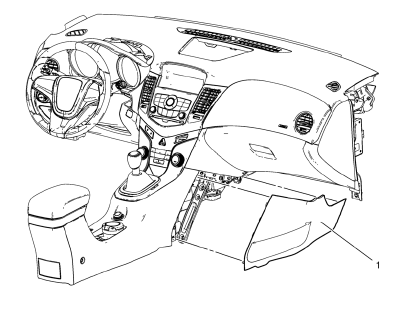
- Instrument Panel Lower Trim Panel Replacement - Right Side
 Instrument Panel Cluster Lower Trim Plate Replacement
Preliminary Procedure
Remove instrument panel cluster trim plate. Refer to Instrument Panel Cluster
Trim Plate Replacement.
Instrument Panel Cluster Lower Trim Plate Screw (Qty: 4)
Cauti ...
 Instrument Panel Upper Compartment Replacement
Instrument Panel Upper Compartment Screw (Qty: 2)
Caution: Refer to Fastener Caution in the Preface section.
Procedure
Before removing the instrument panel upper compartment screws, remove ...
Other materials:
Battery Voltage and Charging Messages
BATTERY SAVER ACTIVE
This message displays when the vehicle has detected that the battery voltage
is dropping beyond a reasonable point. The battery saver system starts reducing
features of the vehicle that may be noticed. At the point that features are disabled,
this message displays. Turn o ...
Customer Assistance Offices
Chevrolet encourages customers to call the toll-free number for assistance. However,
if a customer wishes to write or e-mail Chevrolet, the letter should be addressed
to:
United States and Puerto Rico
Chevrolet Motor Division
Chevrolet Customer Assistance Center
P.O. Box 33170
Detroit, MI 4 ...
Climate Controls
The heating, cooling, defrosting, and ventilation for the vehicle can be controlled
with these systems.
Vehicles without Air Conditioning
1. Temperature Control
2. Bi-level Air Mode
3. Floor Air Mode
4. Vent Air Mode
5. Fan Control
6. Driver and Passenger Heated Seats (If Equipped)
7. Re ...
