
Chevrolet Cruze Repair Manual: Passenger Seat Frame Replacement
Removal Procedure
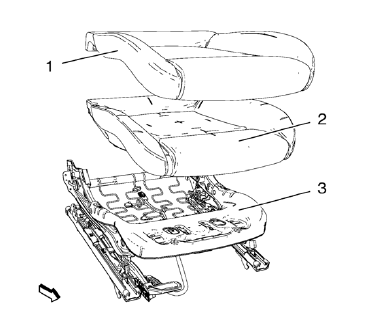
- Remove front seat cushion cover (1) and pad (2) from frame (3). Refer to Front Seat Cushion Cover and Pad Replacement
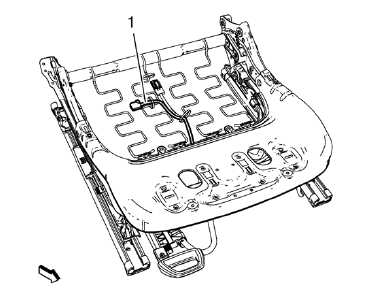
- Remove the wire harness (1), if equipped.
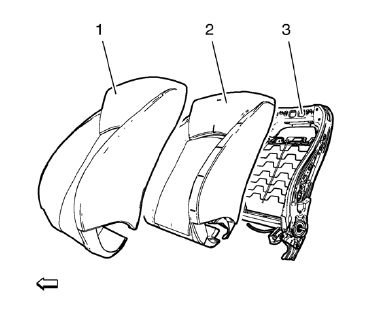
- Remove front seat back cushion cover (1) and pad (2) from frame (3). Refer to Driver or Passenger Seat Back Cushion Cover and Pad Replacement
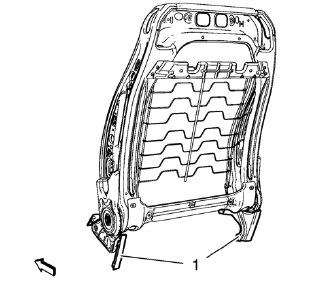
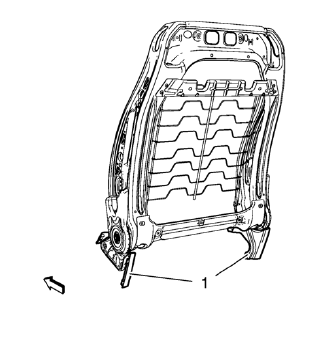
- Remove inner seat frame cover (1).
- Remove the wire harness, if equipped.
Installation Procedure
- Install the wire harness, if equipped.
- Install inner seat frame cover (1).
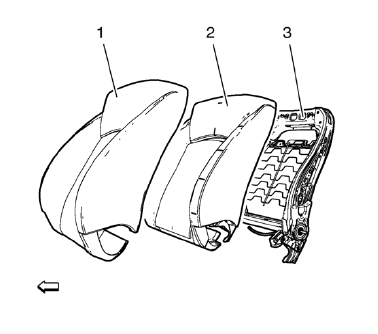
- Install front seat back cushion cover (1) and pad (2) to frame (3). Refer to Driver or Passenger Seat Back Cushion Cover and Pad Replacement
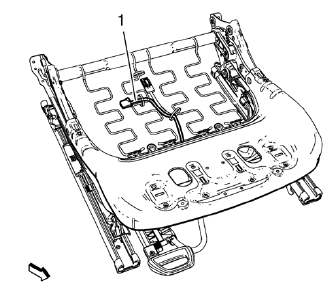
- Install the wire harness (1), if equipped.
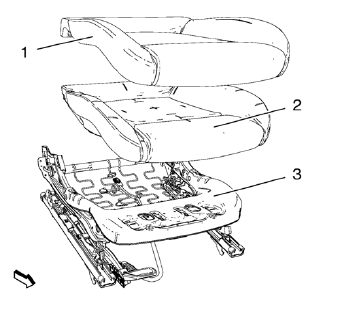
- Install front seat cushion cover (1) and pad (2) to frame (3). Refer to Front Seat Cushion Cover and Pad Replacement
Rear Seat Replacement (40 Percent Seat)
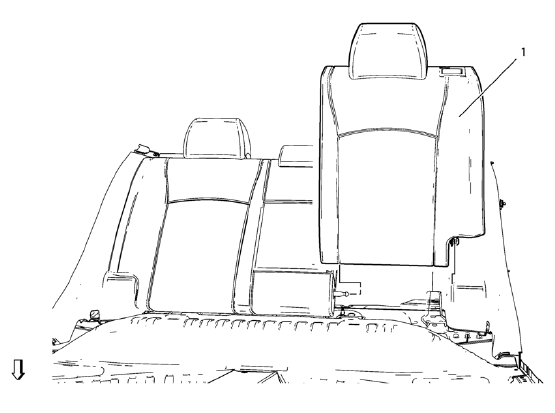
Preliminary Procedure
Rear seat cushion. Refer to Rear Seat Cushion Replacement
- Rear Seat Back - Left Side
Procedure
- Fold down rear seat backrest.
- Remove rear seat backrest from booth side guide.
Rear Seat Replacement (60 Percent Seat)
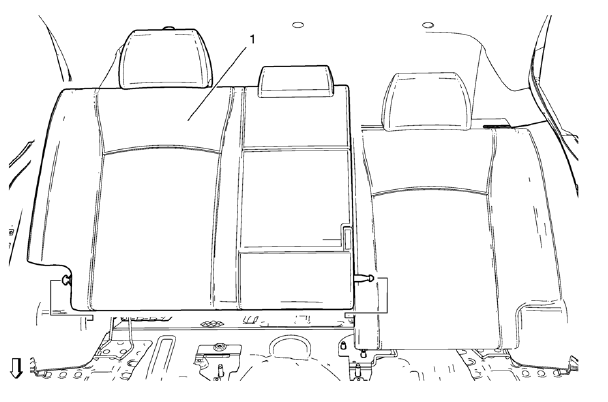
Preliminary Procedure
Remove rear seat belt buckle. Refer to Rear Seat Belt Buckle Replacement
Rear Seat Back - Right Side
Procedure
- Fold down rear seat backrest.
- Remove rear seat backrest from booth side guide.
Rear Seat Armrest Replacement
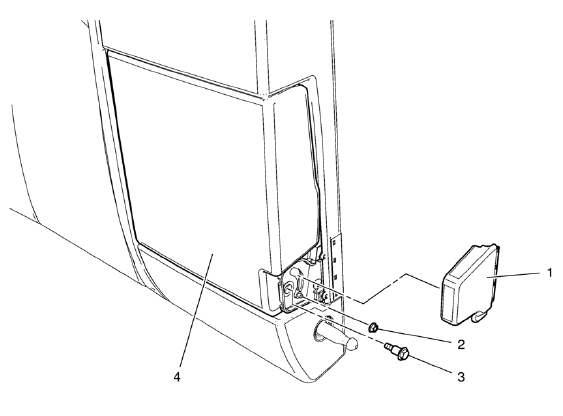
Preliminary Procedure
Remove rear seat back - right side. Refer to Rear Seat Replacement
- Armrest Hinge Cover
- Armrest Hinge Nut
Caution: Refer to Fastener Caution in the Preface section.
Tighten 4.5 N·m (40 lb in)
- Armrest Hinge Bolt
Tighten 9 N·m (80 lb in)
- Armrest
Rear Seat Head Restraint Replacement
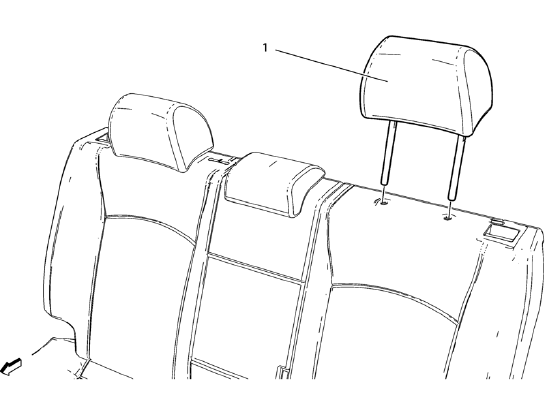
- Rear Seat Head Restraint
Procedure
Push the head restraint guide button and remove the head restraint.
Rear Seat Head Restraint Guide Replacement
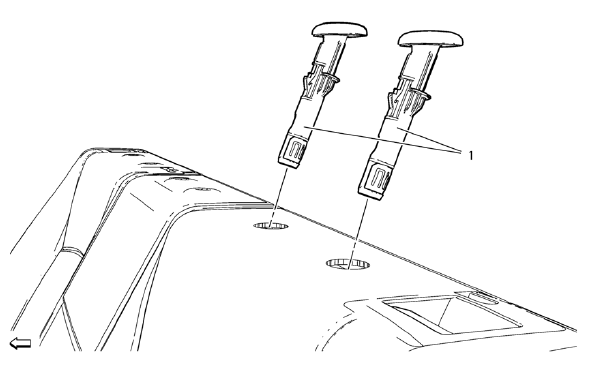
Preliminary Procedure
Remove rear seat head restraint. Refer to Rear Seat Head Restraint Replacement.
- Rear Seat Head Restraint Guide Replacement
Procedure
Unclip the rear seat head restraint guide with a suitable device (Qty: 2)
Rear Seat Cushion Cover and Pad Replacement
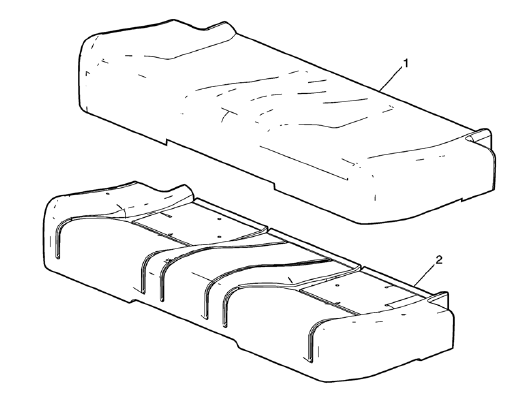
Preliminary Procedure
Remove the rear seat cushion. Refer to Rear Seat Cushion Replacement
Rear Seat Cushion Cover
Procedure
- Remove the hog rings that secure the rear seat cushion cover to the pad.
- Remove seat cushion cover from Velcro.
Rear Seat Cushion Pad
Rear Seat Cushion Replacement
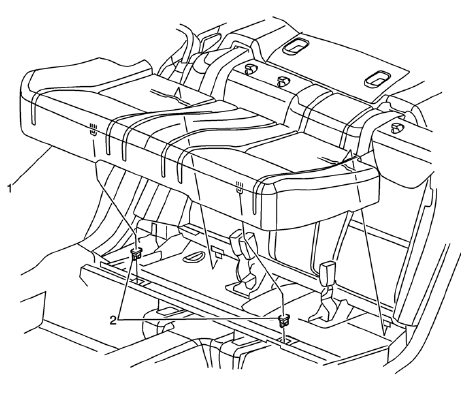
Rear Seat Cushion
Procedure
Pull up on the front of the seat cushion to disengage the retainers, and lift out of the vehicle.
Seat Cushion Retainer (Qty: 2)
Rear Seat Back Latch Replacement (40 Percent Seat)
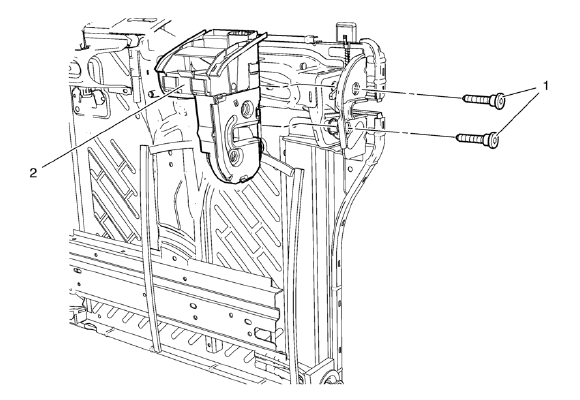
Preliminary Procedure
- Remove rear seat - left side. Refer to Rear Seat Replacement.
- Remove rear seat back cushion cover and pad - left side. Refer to Rear Seat Back Cushion Cover and Pad Replacement - Left Side
Rear Seat Back Latch Bolt (Qty: 2)
Caution: Refer to Fastener Caution in the Preface section.
Tighten 45 N·m (33 lb ft)
Rear Seat Back Latch
Rear Seat Back Latch Replacement (60 Percent Seat)
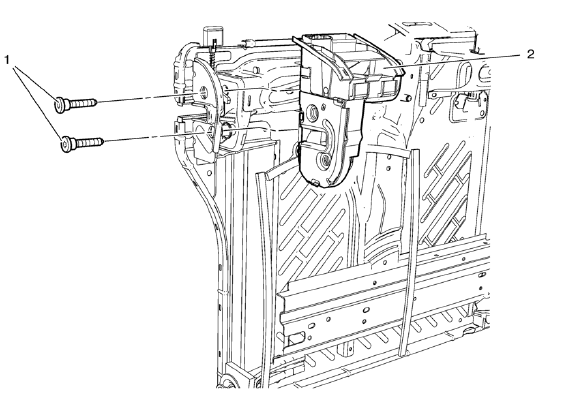
Preliminary Procedure
- Remove rear seat - right side. Refer to Rear Seat Replacement.
- Remove rear seat armrest. Refer to Rear Seat Armrest Replacement
- Remove rear seat back cushion cover and pad - right side. Refer to Rear Seat Back Cushion Cover and Pad Replacement - Right Side
Rear Seat Back Latch Bolt (Qty: 2)
Caution: Refer to Fastener Caution in the Preface section.
Tighten 45 N·m (33 lb ft)
Rear Seat Back Latch
 Driver Seat Frame Replacement
Removal Procedure
Remove front seat cushion cover (1) and pad (2) from frame (3). Refer to
Front Seat Cushion Cover and Pad Replacement
Remove the wire harness (1), if equipped.
...
 Rear Seat Back Cushion Cover and Pad Replacement - Left Side
Preliminary Procedure
Remove rear seat - left side. Refer to Rear Seat Replacement
Rear Seat Back Cushion Cover
Procedure
Remove the staples from the seat back cover.
Remove seat ba ...
Other materials:
Instrument Panel Illumination Control
This feature controls the brightness of the instrument panel controls and infotainment
display screen. The thumbwheel is to the left of the steering column on the instrument
panel.
(Instrument Panel Brightness):
Move the thumbwheel up or down and hold, to brighten or dim the instrument pan ...
Winter Tires
This vehicle was not, originally, equipped with winter tires. Winter tires are
designed for increased traction on snow and ice-covered roads. Consider installing
winter tires on the vehicle if frequent driving on snow or ice-covered roads is
expected. See your dealer for details regarding wint ...
Warning Lights, Gauges, and Indicator
Warning lights and gauges can signal that something is wrong before it becomes
serious enough to cause an expensive repair or replacement. Paying attention to
the warning lights and gauges could prevent injury.
Warning lights come on when there could be a problem with a vehicle function.
Some ...
