
Chevrolet Cruze Repair Manual: Removal Procedure
Warning: Refer to Approved Equipment for Collision Repair Warning in the Preface section.
Warning: Refer to Collision Sectioning Warning in the Preface section.
Warning: Refer to Glass and Sheet Metal Handling Warning in the Preface section.
- Disable the SIR System. Refer to SIR Disabling and Enabling.
- Disconnect the negative battery cable. Refer to Battery Negative Cable Disconnection and Connection.
- Remove all related panels and components.
- Visually inspect the damage. Repair as much of the damage as possible.
- Remove the sealers and anti-corrosion materials from the repair area, as necessary. Refer to Anti-Corrosion Treatment and Repair.
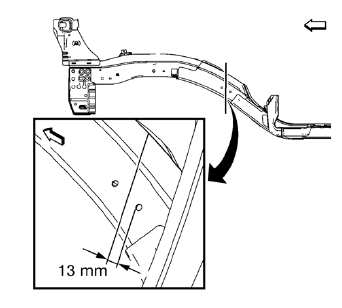
- Create cut lines on the front compartment front rail.
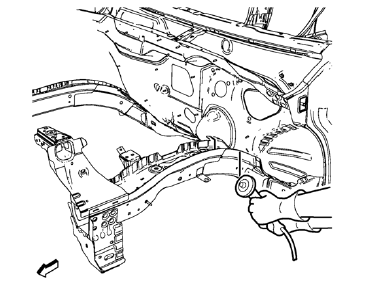
Note: Do not damage any other panels or reinforcements.
- Cut the panel where sectioning is to be performed.
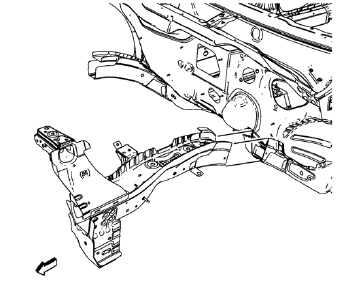
- Remove the damaged front compartment front rail.
 Front Compartment Side Rail Sectioning (Long, MIG-Brazing)
Note: According to different corrosion warranties, only the
regional mandatory joining methods are allowed. ...
 Installation Procedure
Cut the front compartment front rail in corresponding locations to fit
the remaining original panel. The sectioning joint should be
trimmed to allow a gap of one-and-one-half-times the met ...
Other materials:
Using the Navigation System
Use the NAV button on the faceplate or Home Page to access the navigation map.
Press the NAV button again to change between alternative views of the normal
split and full map views.
The Menu screen button at the bottom right side of the display accesses the Navigation
Menu.
The touch-sens ...
How comfortable is the Mercedes-Benz C Class
The interior of the C-Class Coupe matches the allure of its striking exterior design. Across all versions, you'll find premium materials that exude quality, complemented by metallic and piano black or wood accents. The sleek and minimalist layout adds to the sophistication, with standard sports s ...
Recreational Vehicle Towing
Recreational vehicle towing refers to towing the vehicle behind another vehicle
– such as behind a motor home. The two most common types of recreational vehicle
towing are known as dinghy towing and dolly towing. Dinghy towing is towing the
vehicle with all four wheels on the ground. Dolly tow ...
