
Chevrolet Cruze Repair Manual: Removal Procedure
Warning: Refer to Approved Equipment for Collision Repair Warning in the Preface section.
Warning: Refer to Glass and Sheet Metal Handling Warning in the Preface section.
- Disable the SIR System. Refer to SIR Disabling and Enabling.
- Disconnect the negative battery cable. Refer to Battery Negative Cable Disconnection and Connection.
- Remove all related panels and components
- Visually inspect the damage. Repair as much of the damage as possible.
- Remove the sealers and anti-corrosion materials from the repair area, as necessary. Refer to Anti-Corrosion Treatment and Repair.
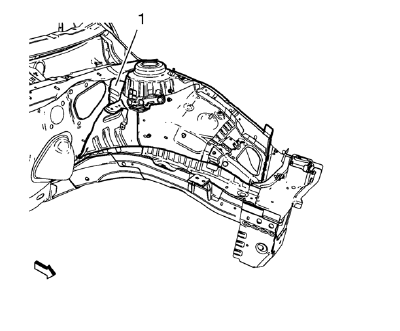
Note: Front wheelhouse rear panel brace (1) remains to the body.
- Locate and mark all the necessary factory welds of the front wheelhouse.
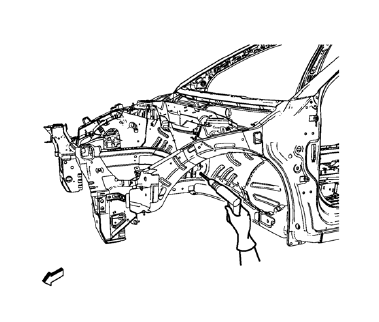
- Drill all factory welds. Note the number and location of welds for installation of the service assembly.
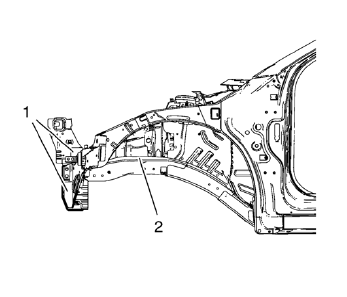
- Cut the adhesive in the front area (1) and where the front wheelhouse and the front compartment side rail overlap (2) with an appropriate tool.
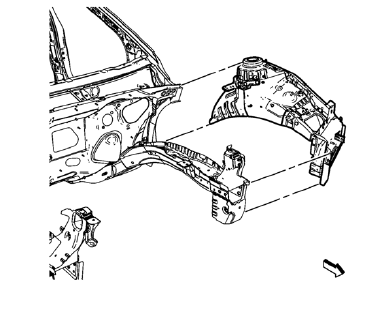
- Remove the front wheelhouse.
 Front Wheelhouse Panel Replacement (MIG-Brazing)
Note: According to different corrosion warranties, only the
regional mandatory joining methods are allowed. ...
 Installation Procedure
Remove the front wheelhouse rear panel brace (1) from service panel.
Create 6 x 20 mm (4/16 x 12/16 in) slots for MIG-brazing along the edges
of the front wheelhouse (1).
Clean a ...
Other materials:
Bluetooth (Voice Recognition)
Using Voice Recognition
To use voice recognition, press the
button located on the steering wheel.
Use the commands below for the various voice features. For additional information,
say “Help” while you are in a voice recognition menu.
Pairing
A Bluetooth-enabled cell phone must be paired to ...
Rear Seats
Either side of the rear seatback can be folded.
To fold the rear seatbacks:
1. Place the front seatbacks in the upright position.
Notice: Folding a rear seat with the safety belts still fastened may
cause damage to the seat or the safety belts. Always unbuckle the safety belts and
return them ...
Instrument Panel Accessory Bezel Replacement
Preliminary Procedure
Remove transmission control cover. Refer to Automatic or Manual Transmission
Control Lever Trim Cover Replacement.
Instrument Panel Accessory Bezel Screw (Qty: 4)
Caution: Refer to Fastener Caution in the Preface section.
Tighten
2.5 N·m (23 lb in).
Instrume ...
