
Chevrolet Cruze Repair Manual: Removal Procedure
Warning: Refer to Approved Equipment for Collision Repair Warning in the Preface section.
- Disable the SIR System. Refer to SIR Disabling and Enabling.
- Disconnect the negative battery cable. Refer to Battery Negative Cable Disconnection and Connection.
- Remove all related panels and components.
- Visually inspect the damage. Repair as much of the damage as possible.
- Remove the sealers and anti-corrosion materials from the repair area, as necessary. Refer to Anti-Corrosion Treatment and Repair.
- Locate and mark all factory welds.
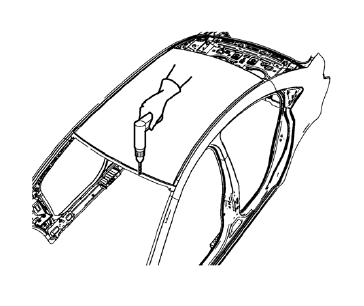
- Drill all factory welds. Note the number and location of welds for installation of the service assembly.
- Cut the adhesive with an appropriate tool.
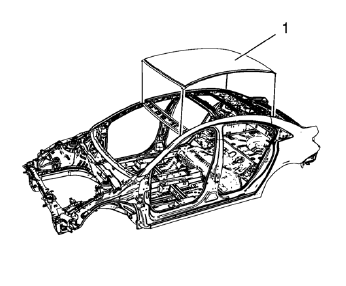
- Remove the damaged roof panel (1).
 Roof Outer Panel Replacement (MIG-Brazing)
Note: According to different corrosion warranties, only the
regional mandatory joining methods are allowed. ...
 Installation Procedure
Clean and prepare the attaching surfaces for welding.
Apply one-part windshield urethane adhesive as noted from the original
panel.
Position the roof panel (1) on the
...
Other materials:
Safety Locks
The rear door safety locks prevent passengers from opening the rear doors from
inside the vehicle.
Press to activate the safety locks.
The indicator light comes on when activated.
The rear door power windows are also disabled.
Press again to deactivate the safety
locks and power windows ...
Front Side Door Window Regulator Motor Replacement
Preliminary Procedure
Remove the front side door window regulator. Refer to Front Side Door Window
Regulator Replacement.
Front Side Door Window Regulator Motor Screw (Qty: 3)
Caution: Refer to Fastener Caution in the Preface section.
Tighten
9 N·m (80 lb in)
Front Side Door Wind ...
Tire Chains
WARNING
Do not use tire chains. There is not enough clearance. Tire chains used on
a vehicle without the proper amount of clearance can cause damage to the brakes,
suspension, or other vehicle parts. The area damaged by the tire chains could cause
loss of control and a crash. Use another type ...
