
Chevrolet Cruze Repair Manual: Installation Procedure
- Clean and prepare the attaching surfaces for welding.
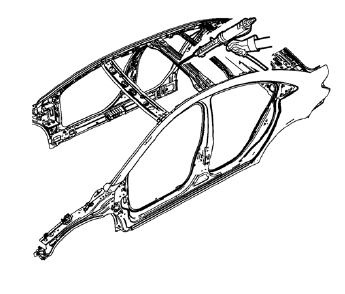
- Apply one-part windshield urethane adhesive as noted from the original panel.
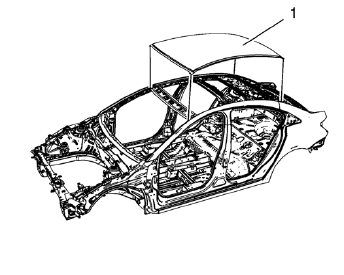
- Position the roof panel (1) on the vehicle.
- Verify the fit of the panel.
- Clamp the panel into position.
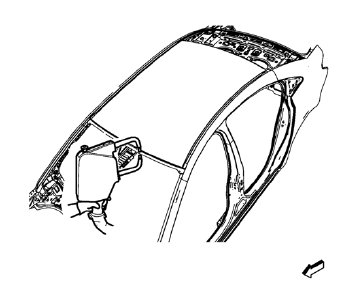
- Spot weld accordingly as noted from the original panel.
- Apply the sealers and anti-corrosion materials to the repair area, as necessary. Refer to Anti-Corrosion Treatment and Repair.
- Paint the repaired area. Refer to Basecoat/Clearcoat Paint Systems.
- Install all related panels and components.
- Connect the negative battery cable. Refer to Battery Negative Cable Disconnection and Connection.
- Enable the SIR system. Refer to SIR Disabling and Enabling.
 Removal Procedure
Warning: Refer to Approved Equipment for Collision Repair Warning in
the Preface section.
Disable the SIR System. Refer to SIR Disabling
and Enabling.
Disconnect the negative battery cable. ...
 Roof Front Header Panel Replacement (MAG-Welding)
Note: According to different corrosion warranties, only the
regional mandatory joining methods are allowed. ...
Other materials:
Front Fog Lamp Bezel Replacement
Preliminary Procedure
Remove front bumper fascia. Refer to Front B 1. umper Fascia
Replacement.
Remove front fog lamp. Refer to Front Fog Lamp Replacement.
Front Fog Lamp Bezel Screw
Caution: Refer to Fastener Caution in the Preface section.
Tighten
2.5 N·m (23 lb in)
Fro ...
Engine Oil Messages
CHANGE ENGINE OIL SOON
This message displays when the engine oil needs to be changed.
When you change the engine oil, be sure to reset the Oil Life System.
OIL PRESSURE LOW — STOP ENGINE
This message displays if low oil pressure levels occur. Stop the vehicle as soon
as safely possible and do ...
Hood Adjustment
Hood
Caution: Refer to Fastener Caution in the Preface section.
Procedure
Loosen the hood hinge reinforcement nuts (Qty: 4).
Adjust the hood in order to obtain an even gap on both sides between the
hood and the fenders, the headlamps and
the front bumper fascia and so that the hood ...
