
Chevrolet Cruze Repair Manual: Variable Effort Steering System Description and Operation
The Variable Effort Steering (VES) system or MAGNASTEER® varies the amount of effort required to steer the vehicle as vehicle speed changes. At low speeds, the system provides minimal steering effort for easy turning and parking maneuvers. Steering effort is increased at higher speeds to provide firmer steering (road feel) and directional stability. VES works in parallel with the base torsion bar in the power steering system.
The VES control module communicates on the high speed bus and uses vehicle speed and the steering wheel angle speed to command a current that is most appropriate for each speed to the VES actuator in the steering rack and pinion. The actuator is a variable electromagnetic actuator, which consists of one multiple-pole ring-style permanent magnet, with a pole piece, and an electromagnetic coil assembly on each side. By commanding currents between -3 to +3 Amps through the coils the steering effort will be adapted to the vehicle’s speed.
At lowest speed, around 5 km/h (3 mph) the coils are polarized in such a way that the magnetic forces are repelling each others and hardly any effort is required to turn the ring magnet between them.
At mid speed, around 70 km/h (45 mph), no current is sent through the coils and steering is assisted by hydraulics only. At high speeds the coils are polarized in such a way that the magnetic forces are attracting each others and high effort is required to turn the ring magnet between them.
The VES control module communicates on the HS GMLAN bus.
The VES control module has the ability to detect malfunctions in the actuator. Any malfunctions detected will cause the system to ramp to zero amps. Steering will be assisted by hydraulics only and a DTC is set.
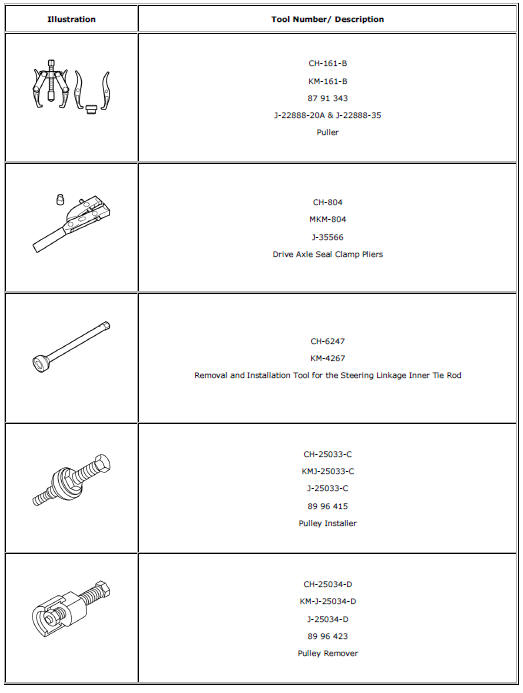
Special Tools and Equipment
 Power Steering System Description and Operation
The hydraulic power steering pump is a constant displacement vane-type pump
that provides hydraulic pressure and flow for the power
steering gear. The hydraulic power steering pumps are either belt ...
 Steering Wheel and Column
Specifications
...
Other materials:
Installation Procedure
Align the rear side door outer panel.
Verify the fit of the rear side door outer panel.
Clamp the rear side door outer panel
into position.
Pre-flanging the flange with BO-6396 pliers and BO-6392 tool kit .
Continue to hammer in stages along the hem flanges.
App ...
Passenger Sensing System
The vehicle has a passenger sensing system for the front outboard passenger position.
The passenger airbag status indicator will light on the instrument panel when the
vehicle is started.
United States
Canada
The words ON and OFF, or the symbol for on and off, will be visible during the
...
Floor Mats
WARNING
If a floor mat is the wrong size or is not properly installed, it can interfere
with the pedals.
Interference with the pedals can cause unintended acceleration and/or increased
stopping distance which can cause a crash and injury. Make sure the floor mat does
not interfere with the p ...
