
Chevrolet Cruze Repair Manual: Rear Side Door Weatherstrip Replacement - Body Side
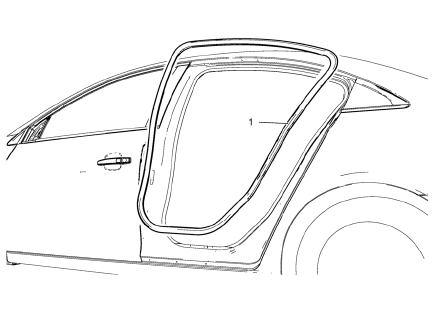
Rear Side Door Weatherstrip - Body Side
Procedure
- Start at the front upper corner of the door opening and pull the weatherstrip away from the door opening flange.
- Position the weatherstrip in the upper corner of the center pillar.
- Working downward along the front edge, install the weatherstrip on the door opening flange ensuring that the carrier is fully seated in the corners.
- Using a rubber mallet, ensure that the weatherstrip is seated on the entire door opening flange.
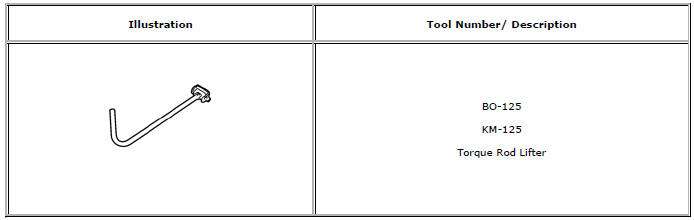
Special Tools and Equipment
 Rear Side Door Weatherstrip Replacement - Door Side
Rear Side Door Check Bolt
Caution: Refer to Fastener Caution in the Preface section.
Tighten
25 N·m (19 lb ft)
Rear Side Door Weatherstrip - Door Side
Procedure
Unclip weather ...
 Bumpers and Fascias
Specifications
Front Bumper Energy Absorber Replacement
Preliminary Procedure
Remove the front bumper fascia. Refer to Front Bumper Fascia Replacement.
Front Bumper Energy Absorber
P ...
Other materials:
Front Fender Emblem/Nameplate Replacement (1.8L 2H0 or 2.0L Diesel)
Front Fender Emblem Assembly
Caution: Refer to Exterior Trim Emblem Removal Caution in the
Preface section.
Procedure
The part and surface should be 21°C (70°F) prior to installation. The
vehicle should remain 21°C (70°F) for
one hour after assembly to allow adhesive to develop suff ...
Headlining Trim Panel Replacement (With Sunroof)
Warning: Do not attempt to repair or alter the head impact
energy-absorbing material glued to the headliner or to the garnish
trims. If the material is damaged, replace the headliner and/or the garnish
trim. Failure to do so could result in personal injury.
Caution: If a vehicle is equip ...
Front Floor Console Replacement
Preliminary Procedure
Remove the instrument panel lower trim panel - left side. Refer to
Instrument Panel Lower Trim Panel Replacement - Left
Side
Remove the instrument panel lower trim panel - right side. Refer to
Instrument Panel Lower Trim Panel Replacement - Right
Side
Remo ...
