
Chevrolet Cruze Repair Manual: Rear Side Door Trim Replacement
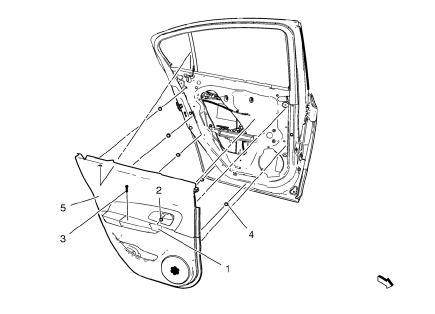
- Rear Side Door Inside Handle Bolt Finish Cap
Procedure
Pull handle back to remove cap. Use suitable tool to unsnap.
- Rear Side Door Inside Handle Screw
Caution: Refer to Fastener Caution in the Preface section.
Tighten 2.5 N·m (23 lb in)
- Rear Side Door Pull Handle Screw
Tighten 2.5 N·m (23 lb in)
- Rear Side Door Trim Clip (Qty: 5)
- Rear Side Door Trim Assembly
Procedure
- Pull upwards on the door lock retainer cable to disengage.
- Disconnect the electrical connectors.
Rear Compartment Sill Trim Plate Replacement
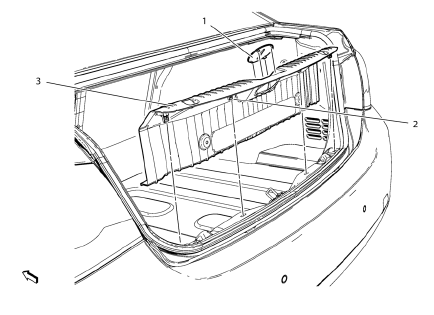
- Rear Compartment Lid Latch Striker Cover
- Rear Compartment Sill Trim Plate Clip (Qty: 4)
- Rear Compartment Sill Trim Plate Assembly
Rear Compartment Lid Inner Panel Trim Replacement
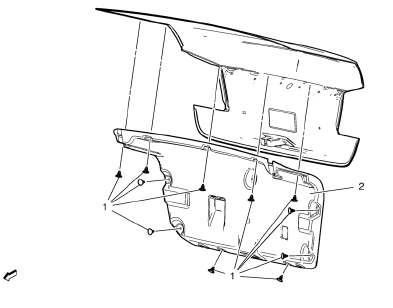
- Rear Compartment Lid Inner Panel Trim Retainer (Qty: 12)
- Rear Compartment Lid Inner Panel Trim Assembly
Rear Compartment Side Trim Replacement - Left Side
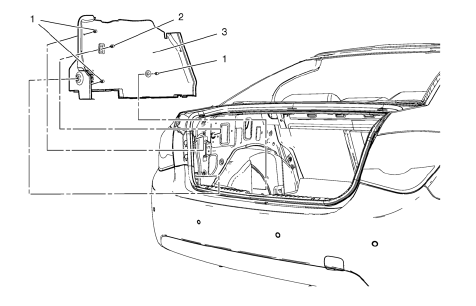
Preliminary Procedures
Remove rear compartment sill trim plate. Refer to Rear Compartment Sill Trim Plate Replacement
- Body Side Trim Panel Retainer (Qty: 3)
- Body Side Trim Panel Screw
- Body Side Trim Panel Assembly
Rear Compartment Side Trim Replacement - Right Side
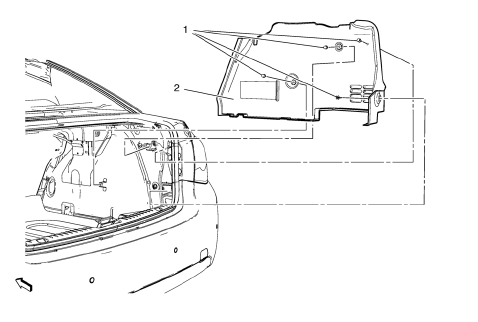
Preliminary Procedure
Remove rear compartment sill trim plate. Refer to Rear Compartment Sill Trim Plate Replacement
- Body Side Trim Panel Retainer (Qty: 4)
- Body Side Trim Panel Assembly
Special Tools and Equipment
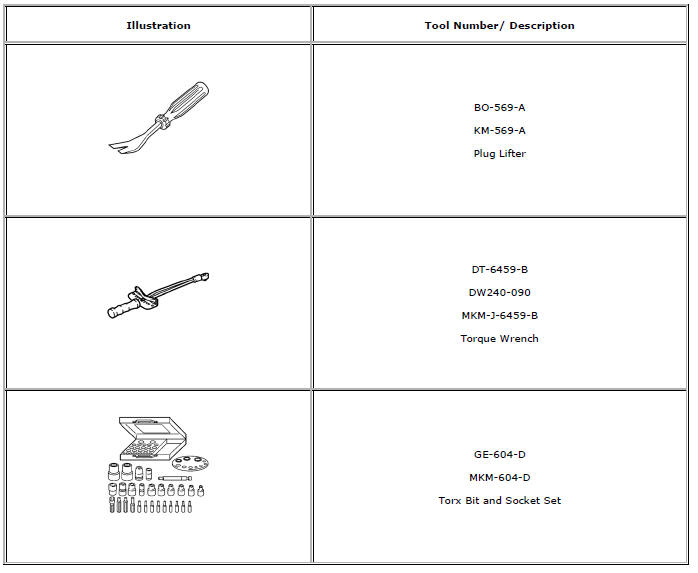
 Body Side Trim Panel Replacement - Left Side
Preliminary Procedure
Remove the rear side door sill trim plate. Refer to Rear Side Door Sill
Trim Plate Replacement.
Remove the rear seat back. Refer to Rear Seat Replacement.
Re ...
 Body repair
...
Other materials:
Doing Your Own Service Work
WARNING
It can be dangerous to work on your vehicle if you do not have the proper
knowledge, service manual, tools, or parts. Always follow owner manual procedures
and consult the service manual for your vehicle before doing any service work.
If doing some of your own service work, use the pro ...
Mild Steel
This information provides repair recommendations and general guidelines for
steel classified as Mild Steel. This type of steel normally has a
tensile strength less than 270 MPa. This includes the common steel names of:
Mild Steel
Bake Hardenable Steel (BH)
Solid Solution Strengthened Stee ...
Installation Procedure
Prepare all mating surfaces as necessary
Align the body lock pillar outer panel reinforcement.
Drill 8 mm (5/16 in) for plug welding along the edges of the body lock
pillar outer panel reinforcement as noted from the original
panel.
Clean and prepare the attaching surfac ...
