
Chevrolet Cruze Repair Manual: Rear Side Door Weatherstrip Replacement - Body Side
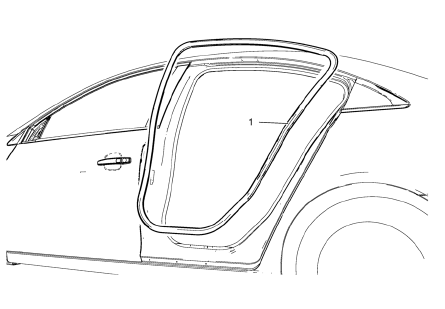
Rear Side Door Weatherstrip - Body Side
Procedure
- Start at the front upper corner of the door opening and pull the weatherstrip away from the door opening flange.
- Position the weatherstrip in the upper corner of the center pillar.
- Working downward along the front edge, install the weatherstrip on the door opening flange ensuring that the carrier is fully seated in the corners.
- Using a rubber mallet, ensure that the weatherstrip is seated on the entire door opening flange.
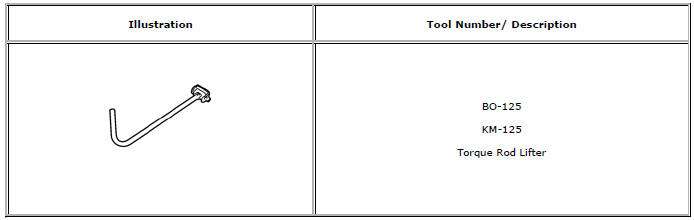
Special Tools and Equipment
 Rear Side Door Weatherstrip Replacement - Door Side
Rear Side Door Check Bolt
Caution: Refer to Fastener Caution in the Preface section.
Tighten
25 N·m (19 lb ft)
Rear Side Door Weatherstrip - Door Side
Procedure
Unclip weather ...
 Bumpers and Fascias
Specifications
Front Bumper Energy Absorber Replacement
Preliminary Procedure
Remove the front bumper fascia. Refer to Front Bumper Fascia Replacement.
Front Bumper Energy Absorber
P ...
Other materials:
Removal Procedure
Warning: Refer to Approved Equipment for Collision Repair Warning in the
Preface section.
Warning: Refer to Collision Sectioning Warning in the Preface section.
Warning: Refer to Glass and Sheet Metal Handling Warning in the Preface section.
Disable the SIR System. Refer to SIR Dis ...
Steering
Electric Power Steering
The vehicle has electric power steering. It does not have power steering fluid.
Regular maintenance is not required.
If power steering assist is lost due to a system malfunction, the vehicle can
be steered, but may require increased effort. See your dealer if there is a ...
Rear Compartment Lid Emblem/Nameplate Replacement (Cruze - Left Side)
Rear Compartment Lid Emblem Assembly
Caution: Refer to Exterior Trim Emblem Removal Caution in the Preface
section.
Procedure
The part and surface should be 21°C (70°F) prior to installation. The
vehicle should remain 21°C (70°F) for
one hour after assembly to allow adhesive to deve ...
