
Chevrolet Cruze Repair Manual: Removal Procedure
- Disable the SIR System. Refer to SIR Disabling and Enabling.
- Disconnect the negative battery cable. Refer to Battery Negative Cable Disconnection and Connection.
- Remove all related panels and components.
- Visually inspect the damage. Repair as much of the damage as possible.
- Remove the sealers and anti-corrosion materials from the repair area, as necessary. Refer to Anti-Corrosion Treatment and Repair.
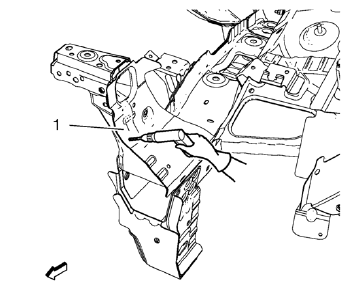
- Locate and mark all the necessary factory welds of the front end sheet metal cross panel reinforcement (1).
- Drill all factory welds. Note the number and location of welds for installation of the service assembly.
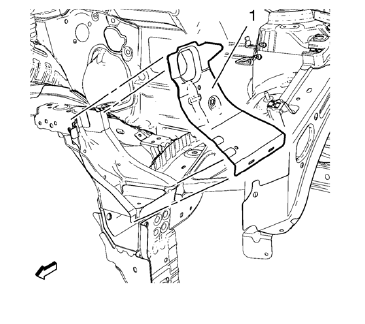
- Remove the front end sheet metal cross panel reinforcement (1).
- Drill all factory welds.
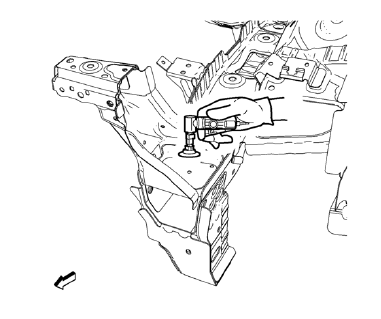
- Grind factory welds of the front end upper tie bar.
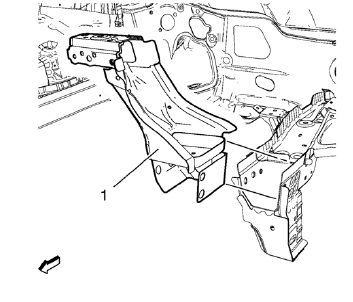
- Remove the front end upper tie bar (1).
 Front End Upper Tie Bar Replacement (MAG-Welding)
Note: According to different corrosion warranties, only the
regional mandatory joining methods are allowed. ...
 Installation Procedure
Position the front end upper tie bar (1) on the vehicle.
Verify the fit of the front end upper tie bar.
Clamp the front end upper tie bar into position.
Weld seam accordingly.
...
Other materials:
Removal Procedure
Warning: Refer to Approved Equipment for Collision Repair Warning in the
Preface section.
Warning: Refer to Collision Sectioning Warning in the Preface section.
Warning: Refer to Glass and Sheet Metal Handling Warning in the Preface section.
Disable the SIR System. Refer to SIR Dis ...
Test Probe Caution
Caution: Do not insert test equipment probes (DMM etc.) into any
connector or fuse block terminal. The diameter of the test probes will
deform most terminals. A deformed terminal will cause a poor connection, which
will result in a system failure. Always use the EL-35616
GM-Approved Terminal T ...
Front Side Door Check Replacement
Prliminary Procedure
Remove front side door trim panel. Refer to Front Side Door Trim
Replacement
Remove the front side door water deflector. Refer to Front Side Door
Water Deflector Replacement
Front Side Door Check Link Bolt
Caution: Refer to Fastener Caution in the ...
