
Chevrolet Cruze Repair Manual: Installation Procedure
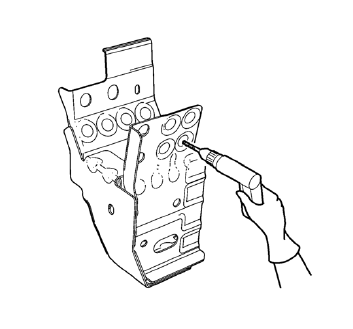
- Drill 8 mm (5/16 in) for plug welding along the edges of the drivetrain and front suspension frame front support as noted from the original panel.
- Clean and prepare the attaching surfaces for welding.
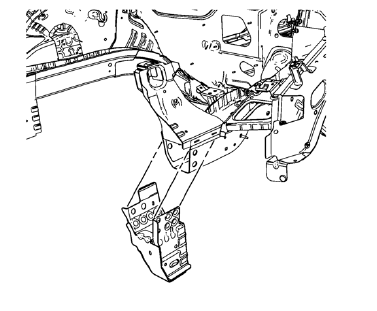
- Position the drivetrain and front suspension frame front support on the vehicle.
- Verify the fit of the drivetrain and front suspension frame front support.
- Clamp the drivetrain and front suspension frame front support into position.
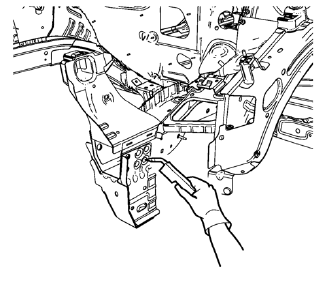
- Plug weld accordingly.
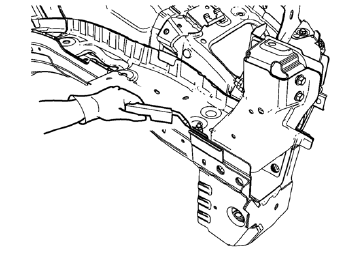
- Weld seam as noted from the original panel from the drivetrain and front suspension frame front support to the front compartment side rail.
- Apply the sealers and anti-corrosion materials to the repair area, as necessary. Refer to Anti- Corrosion Treatment and Repair.
- Paint the repaired area. Refer to Basecoat/Clearcoat Paint Systems.
- Install all related panels and components.
- Connect the negative battery cable. Refer to Battery Negative Cable Disconnection and Connection.
- Enable the SIR system. Refer to SIR Disabling and Enabling.
 Removal Procedure
Warning: Refer to Approved Equipment for Collision Repair Warning in the
Preface section.
Warning: Refer to Glass and Sheet Metal Handling Warning in the Preface section.
Disable the SIR Syst ...
 Drivetrain and Front Suspension Frame Front Support Replacement (MIG-Brazing)
Note: According to different corrosion warranties, only the
regional mandatory joining methods are allowed. ...
Other materials:
Turn Signal Switch Replacement
Preliminary Procedure
Remove the steering column upper trim cover. Refer to Steering Column
Upper Trim Cover Replacement.
Remove the steering column lower trim cover. Refer to Steering Column
Lower Trim Cover Replacement.
Turn Signal Switch
Procedure
Disconnect any elec ...
Vehicle Positioning
At times, the position of the vehicle on the map could be inaccurate due to one
or more of the following reasons:
• The road system has changed.
• The vehicle is driving on slippery road surfaces such as sand, gravel, or snow.
• The vehicle is traveling on winding roads or long straight roads.
...
Engine Overheating
There is an engine coolant temperature gauge on the vehicle instrument cluster
to warn of engine overheating.
If the decision is made not to lift the hood when this warning appears, get service
help right away.
If the decision is made to lift the hood, make sure the vehicle is parked on
a le ...
