
Chevrolet Cruze Repair Manual: Installation Procedure
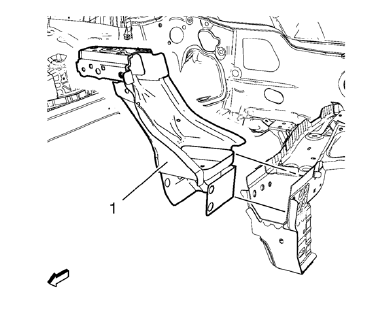
- Position the front end upper tie bar (1) on the vehicle.
- Verify the fit of the front end upper tie bar.
- Clamp the front end upper tie bar into position.
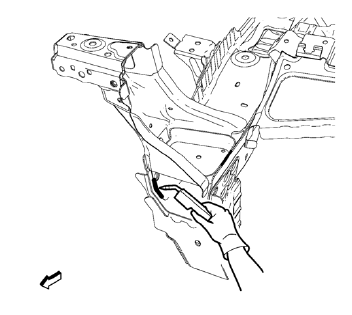
- Braze accordingly.
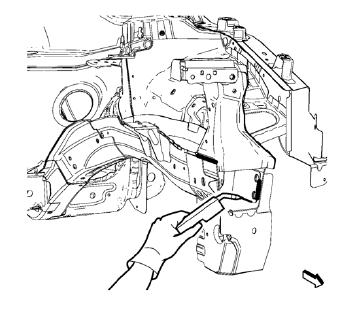
- Braze accordingly.
- Grind down weld seams as needed for related panels and components.
- Clean and prepare the attaching surfaces for welding.
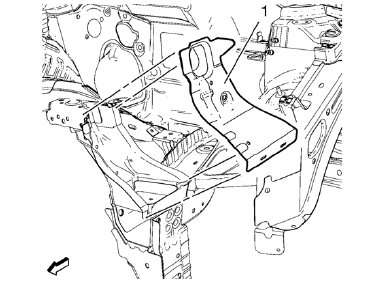
- Position the front end sheet metal cross panel reinforcement (1) on the vehicle.
- Verify the fit of the front end upper tie bar.
- Clamp the front end sheet metal cross panel reinforcement into position.
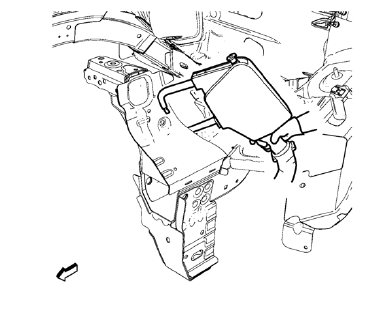
- Spot weld accordingly.
- Use factory slots for slot brazing.
- Install front bumper impact bar before applying the sealers and anti-corrosion materials.
- Apply the sealers and anti-corrosion materials to the repair area, as necessary. Refer to Anti-Corrosion Treatment and Repair
- Paint the repaired area. Refer to Basecoat/Clearcoat Paint Systems
- Install all related panels and components.
- Connect the negative battery cable. Refer to Battery Negative Cable Disconnection and Connection
- Enable the SIR system. Refer to SIR Disabling and Enabling
 Removal Procedure
Warning: Refer to Approved Equipment for Collision Repair Warning in the
Preface section.
Warning: Refer to Glass and Sheet Metal Handling Warning in the Preface section.
Disable the SIR System. ...
 Drivetrain and Front Suspension Frame Front Support Replacement (MAG-Welding)
Note: According to different corrosion warranties, only the
regional mandatory joining methods are allowed. ...
Other materials:
Hazard Warning Flashers
(Hazard Warning Flasher):
Press and momentarily hold this button on the instrument panel above the climate
control system, to make the front and rear turn signal lamps flash on and off. This
warns others that you are having trouble.
Press and momentarily hold again to turn the flashers off ...
Driver or Passenger Seat Side Inflatable Restraint Module Replacement
Warning: Refer to SIR Inflator Module Handling and Storage Warning
in the Preface section.
Warning: Following the deployment of a side impact air bag, inspect the
following parts for damage. Replace these parts if
necessary:
The seat cushion frame
The seat recliner, if equipped
T ...
Taillamps, Turn Signal, Sidemarker, Stoplamps, and Back-Up Lamps
Trunk Deck Inboard Taillamps
1. Open the trunk.
2. Remove the trunk deck trim cover (1).
3. Remove the bulb socket (2) by turning counterclockwise and pulling straight out.
4. Remove the bulb from the socket.
5. Install the new bulb in the bulb socket.
6. Install the bulb socket by turni ...
