
Chevrolet Cruze Repair Manual: Installation Procedure
- Prepare all mating surfaces as necessary.
- Align the front hinge pillar body reinforcement.
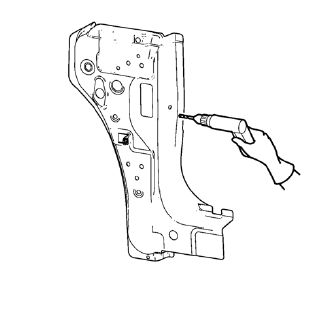
- Drill 8 mm (5/16 in) for plug welding along the edges of the front hinge pillar body as noted from the original panel.
- Clean and prepare the attaching surfaces for welding.
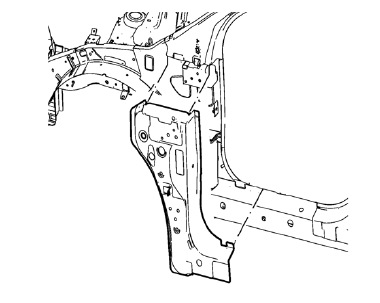
- Position the front hinge pillar body reinforcement on the vehicle.
- Verify the fit of the front hinge pillar body reinforcement.
- Clamp the front hinge pillar body reinforcement into position.
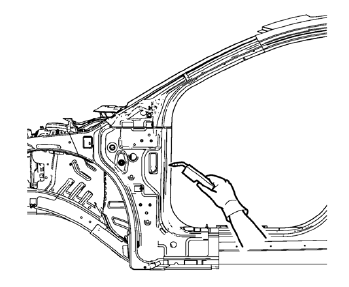
- Plug weld accordingly.
- To create a solid weld with minimum heat distortion, make 25 mm (1 in) stitch welds along the seam with 25 mm (1 in) gaps between them. Then go back and complete the stitch weld.
- Apply the sealers and anti-corrosion materials to the repair area, as necessary. Refer to Anti-Corrosion Treatment and Repair.
- Paint the repaired area. Refer to Basecoat/Clearcoat Paint Systems.
- Install all related panels and components.
- Connect the negative battery cable. Refer to Battery Negative Cable Disconnection and Connection.
- Enable the SIR system. Refer to SIR Disabling and Enabling.
 Removal Procedure
Warning: Refer to Approved Equipment for Collision Repair Warning in the
Preface section.
Warning: Refer to Collision Sectioning Warning in the Preface section.
Warning: Refer to Glass and She ...
 Body Hinge Pillar Lower Reinforcement Replacement (MIG-Brazing)
Note: According to different corrosion warranties, only the
regional mandatory joining methods are allowed. ...
Other materials:
Fuel Gauge
When the ignition is on, the fuel gauge indicates about how much fuel is left
in the tank.
An arrow on the fuel gauge indicates the side of the vehicle the fuel door is
on.
A FUEL LEVEL LOW message may appear in the Driver Information Center (DIC) and
a single chime sounds.
Here are four ...
Variable Effort Steering System Description and Operation
The Variable Effort Steering (VES) system or MAGNASTEER® varies the amount of
effort required to steer the vehicle as vehicle speed
changes. At low speeds, the system provides minimal steering effort for easy
turning and parking maneuvers. Steering effort is increased
at higher speeds to provi ...
Scheduling Service Appointments
When the vehicle requires warranty service, contact your dealer and request an
appointment. By scheduling a service appointment and advising the service consultant
of your transportation needs, your dealer can help minimize your inconvenience.
If the vehicle cannot be scheduled into the service ...
